How do I reset an ice maker?
Check that the ice maker is switched on, then find the reset or Test button (your manual shows where) and hold it as the manual says. With no button, unplug the refrigerator for a minute or two, plug it back in and allow up to 24 hours for ice. On a Samsung, repeated chimes mean service.
Free to ask. Local shops send quotes, and you pay only when you book one.
By Kasra Taheri, Founder, LoclisPublished
Researched and drafted with AI, then checked claim by claim against the sources listed below before it was published. Prices and rules change; the dates beside each source say when it was last checked.
Step by step
Read when to stop and call a pro, further down this page, before you start.
The short version
Start with the simplest thing: make sure the ice maker is actually on. Whirlpool says a common reason an ice maker does not make ice is that it was accidentally turned off.[1] LG puts the switch on the left side of the ice maker, and models without one use an Ice On/Ice Off option on the control panel.[3] If it is on, run the reset your brand describes. If it has no reset, power-cycle the whole refrigerator.
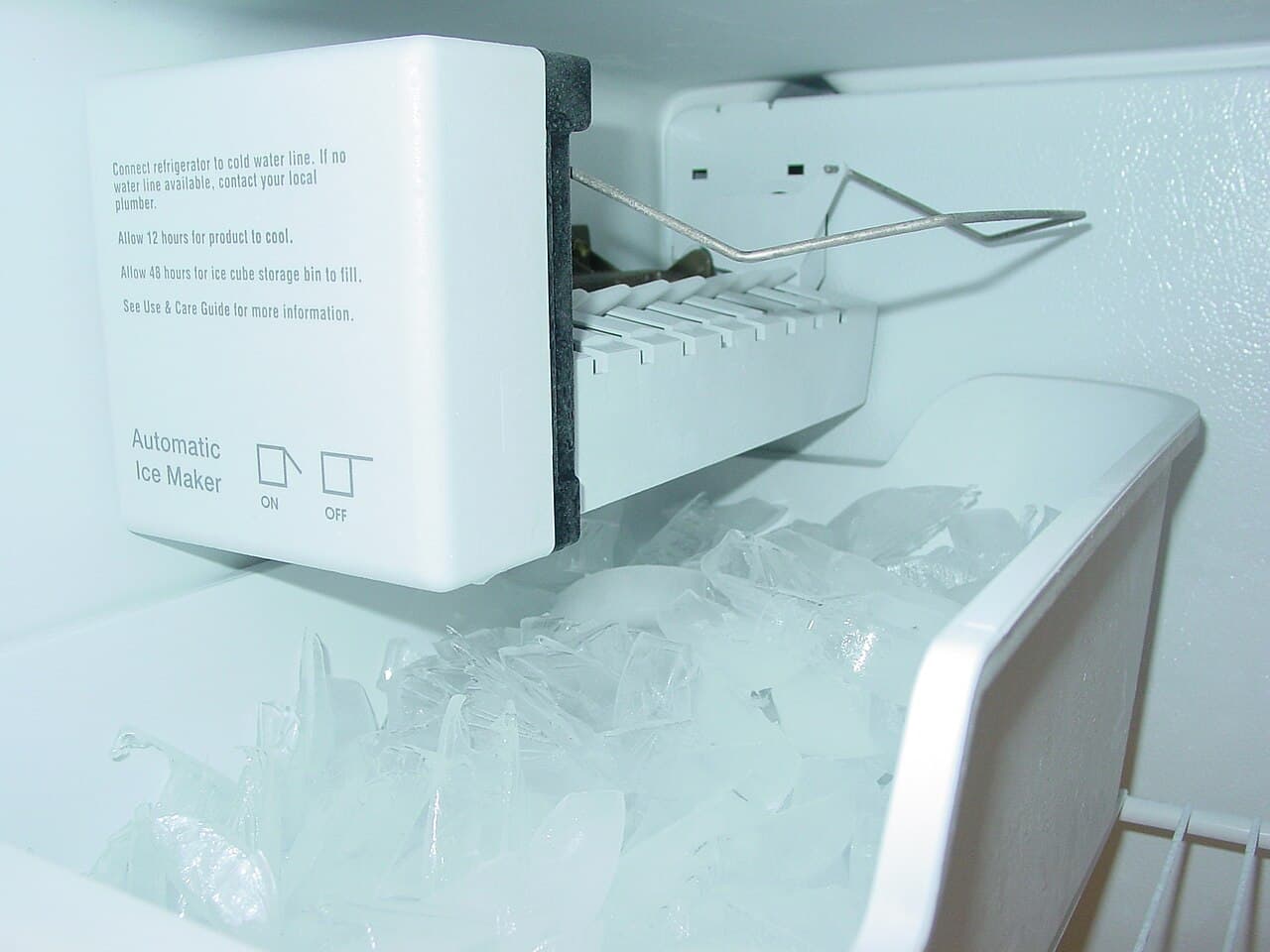
Reset with the Test button
Samsung says that if your refrigerator is not making ice, a simple reset may fix the issue.[2] The method is to take out the ice bucket, lifting it and pulling it out slowly with both hands, then press and hold Test until you hear a chime.[2] If you do not hear a chime but can see the ice maker move, it was reset.[2]
Be gentle with the button. Samsung warns: "Do not press Test repeatedly after the ice tray is filled with ice or water. The maker may overflow or the ice may jam."[2]
LG's test mode is similar. Hold its test button for about three seconds and the ice maker begins to turn; put a towel under it first, because the tray only holds about four or five ounces of water.[3] If it does not move, or there is no water or ice in the tray, LG says the refrigerator most likely needs service.[3]
Reset by shaking and cutting power
LG's reset for its ice makers is to remove the bin, grasp the ice maker and shake it a couple of times up and down, firmly but gently, then replace the bin.[3] After that, power the unit off for 30 seconds, by tripping the breaker or unplugging it, and switch it back on.[3]
If there is no reset button
Whirlpool's advice is: "If your refrigerator doesn't have a reset button, perform a power cycle by unplugging it for 1 minute, then plugging it back in."[1] Samsung gives 2 minutes, by unplugging the fridge or turning it off at the circuit breaker, when the Test button gives neither a chime nor movement.[2] Either way, this is a plug-in job only. Do not open panels or touch wiring.
After the reset
Allow 24 hours for ice production to begin.[3] Check the two things that most often keep a reset from sticking. The freezer needs to be cold enough: LG gives a minimum recommended temperature for ice production of -4°F (-20°C).[3] And water has to reach the ice maker, so look for a kinked line behind the refrigerator and a fully open supply valve, and replace a clogged or improperly installed filter.[1]
If the ice maker still does not cycle, check the water supply and freezer temperature again before booking a visit.
Stop and call a pro if
- The ice maker chimes several times after the reset. On a Samsung that means request service.[2]
- It does not move or the tray stays empty on test. LG says the refrigerator most likely needs service.[3]
- Water is leaking at the ice maker or the water line. Shut off the supply and get a repair visit rather than opening anything up.
- The refrigerator itself is warm. That is a cooling fault, not an ice maker fault.
- The unit buzzes and no water line is connected. Whirlpool says an ice maker left on with no water supply line connected can cause a buzzing noise.[1] Switch the ice maker off.
Getting help in Virginia
If a reset does not fix it, read how much ice maker repair costs and whether it is worth fixing, then browse appliance repair answers or the appliance repair directory.
When you are ready, describe the ice maker problem once and local appliance repair businesses quote it.
Common questions
- Where is the reset button on an ice maker?
- It varies by brand. Samsung puts a Test button on the right-hand side of the ice maker, reached by removing the ice bucket.[^sam] LG's test button sits under the ice tray on one style, and on another it is a small hole you press with a paper clip.[^lg] Check your manual if you cannot find it.
- How long after a reset until I get ice?
- LG says to allow 24 hours for ice production to begin.[^lg] Do not keep resetting in the meantime; a cycle takes time.
- Is it safe to unplug the refrigerator to reset the ice maker?
- Yes, unplugging a refrigerator is the power cycle Whirlpool and Samsung describe, for 1 minute and 2 minutes respectively.[^wp][^sam] Keep the doors shut while it is off to hold in the cold, and do not open any panels or touch wiring.
- The ice maker chimes several times after the reset. What does that mean?
- On a Samsung, one chime means the ice maker passed the test; multiple chimes mean you should request service.[^sam]
- Does the ice maker need to be connected to water to reset it?
- The reset itself does not, but a unit that is switched on with no water line can cause a buzzing noise, a refrigerator that runs too cold and freezing food in the crisper drawers.[^wp] Switch the ice maker off if no water is connected.
Sources
- [1] Ice Maker Not Working - Troubleshooting, Whirlpool Product Help. Checked October 27, 2026.
- [2] Reset the ice maker in the fridge compartment or Side-by-Side freezer, Samsung Support. Checked October 27, 2026.
- [3] LG Refrigerator – Why is My Refrigerator Not Making Ice?, LG Electronics USA Support. Checked October 27, 2026.
Want a pro to handle it?
Describe the job once. Licensed local businesses send quotes, and you pay only when you book one.
Get a quote for Appliance Repair