Can data be recovered from a dead hard drive?
Sometimes. A drive that fails to appear because of a cable, port or damaged file structure is often recoverable. A drive that clicks, grinds or never spins up needs a specialist lab, and every extra power-on risks more damage. Stop using it, copy files first if it still appears, and do not reformat or open it.
Free to ask. Local shops send quotes, and you pay only when you book one.
By Kasra Taheri, Founder, LoclisPublished
Researched and drafted with AI, then checked claim by claim against the sources listed below before it was published. Prices and rules change; the dates beside each source say when it was last checked.
Step by step
Read when to stop and call a pro, further down this page, before you start.
Step 1: Stop powering it on
Unplug the drive and leave it off, especially if it clicks, beeps or grinds.
Step 2: Write down what happened
Note the make and model, the noises, whether it was dropped or wet and when you last saw your files.
Step 3: Try another cable and port
Swap the USB cable, use a different port and, if the drive is in an enclosure, try a different one.
Step 4: Try another computer
Plug the drive into a second computer to rule out the first machine.
Step 5: Copy files first
If the drive appears, copy your most important folders to another disk before repairing or reformatting anything.[1]
Step 6: Do not reformat
Do not reformat or reinstall anything on the drive until you have copies of what you need.[1]
Step 7: Stop if it makes noise
If it clicks, grinds or disappears after a few seconds, power it off and get a quote from a recovery lab.
Sometimes, yes, and the odds depend on what "dead" means. A drive that is not detected because of a loose cable, a dead enclosure or a damaged file structure is often recoverable, at home or by a lab. A drive that clicks, grinds or has a damaged platter can sometimes be recovered too, but only by a specialist, and never by trying harder at home. The first rule is the same for both: stop powering it on.
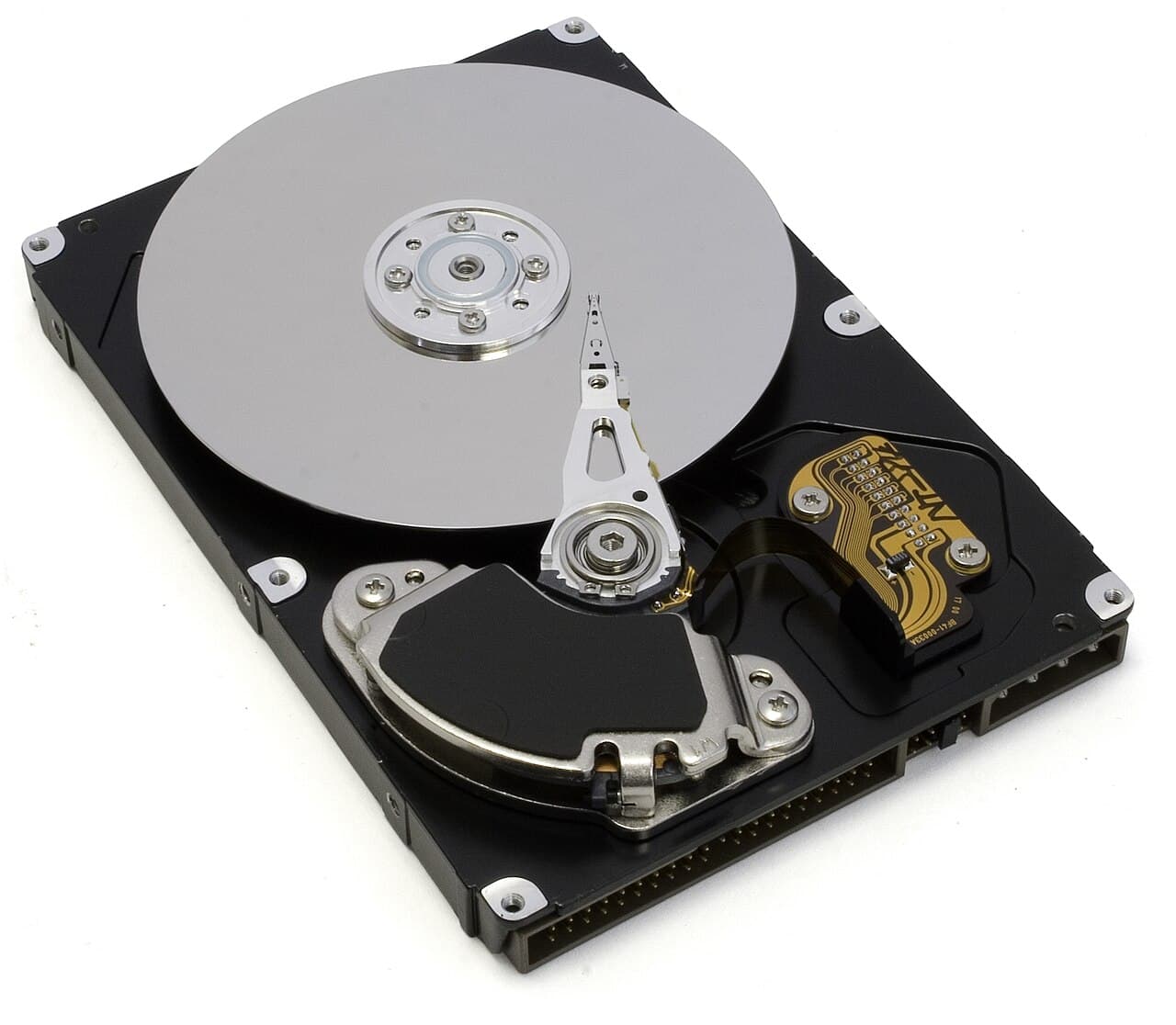
Work out what kind of dead it is
Most "dead drive" calls fall into three groups.
- The drive is fine and the connection is not. The drive does not appear, but it spins up quietly, with no clicking. The cause is often a bad USB cable, port or enclosure, or a PC that has lost the drive's letter.
- The drive is readable but the file system is damaged. It appears, asks to be formatted, or shows folders that will not open. The data is usually still on the platters.
- The drive has a mechanical or electronic fault. It clicks, beeps, grinds, never spins up or disappears after a few seconds. Every extra power-on risks more damage, so this is the group where you stop.
A solid-state drive has no moving parts, so there is nothing to hear when it fails. Treat a drive that is not detected at all by any computer as a lab case.
What you can safely try at home
Start with the cheap checks: another cable, another port, another computer, and for a laptop drive in an enclosure, a different enclosure. If the drive then shows up, copy off your files at once, starting with the most important folders, before doing anything else.
Do not run repair tools first. Disk Utility on a Mac can fix certain disk problems, but Apple notes that "Disk Utility can’t detect or repair all problems that a disk may have."[1] Repair tools write to the disk, and a drive that is failing can get worse while they run. Copy first, repair later.
For a Mac disk that Disk Utility cannot repair, Apple's last step is to "back up as much of your data as possible, reformat the disk, reinstall macOS, then restore your backed-up data."[1] Reformatting erases what was on the disk, so it is only safe once you have copies.
If the drive really is failing, Apple says: "If Disk Utility tells you the disk is about to fail, back up your data and replace the disk—you can’t repair it."[1] If repair keeps failing, Apple says "it may be physically damaged and need to be replaced."[1]
What not to do
Do not open the drive, tap it, or swap its circuit board with one from a "matching" drive. Do not keep trying to turn it on after it has clicked. Home attempts at a mechanical fault tend to make a lab's job harder.
When a lab can help
A professional recovery lab has specialist equipment and workspace for drives with mechanical faults. Results vary with the fault and with how much the drive was run after it failed, so ask for an evaluation and the likely result in writing. For the decision on whether it is worth the money, read when to pay for professional data recovery, and for what it can cost, how much data recovery costs in Virginia.
After you get the files back
Put them somewhere with a second copy. A Time Machine disk is the simple option on a Mac, and Apple advises: "Use your Time Machine backup disk only for Time Machine backups, not for storage of other files."[2] On Windows, Microsoft notes: "Your free Microsoft account comes with 5 GB of OneDrive cloud storage", with more available to buy, which Windows Backup uses for your Desktop, Documents and Pictures folders.[3] Neither replaces a second physical copy of anything irreplaceable.
Stop and call a pro if
- The drive clicks, beeps, grinds or spins up and then stops. Power it off and leave it off.
- The drive held anything you cannot recreate, such as family photos, tax records or business files, and the simple checks have not made it appear.
- The drive was in a flooded, burnt or dropped device. Do not power it on to test it.
- A shop tells you the data is "definitely" recoverable before looking at the drive. Virginia's Consumer Protection Act lists as a prohibited practice: "Misrepresenting that goods or services have certain quantities, characteristics, ingredients, uses, or benefits".[4] Ask for the evaluation result in writing.
Getting help in Virginia
Loclis lists local computer and electronics repair businesses. Browse electronics repair, read more electronics repair answers, or describe the dead drive and local shops can quote the evaluation.
Common questions
- Can a clicking hard drive be fixed?
- Sometimes a lab can recover the data, but home attempts rarely help. Power it off and leave it off, because each power-on risks more damage.
- Is putting a dead hard drive in the freezer a good idea?
- Do not try it. A mechanical fault is a job for a lab, and home experiments can make recovery harder.
- Can data be recovered from a drive that does not show up?
- Often, when the cause is a cable, port or enclosure. If another cable, port and computer all fail to detect it, treat it as a lab case.
- Does reformatting a drive destroy the data?
- It erases what was on it, so copy your files before you reformat anything.
Sources
- [1] Repair a storage device in Disk Utility on Mac, Apple Support. Checked October 27, 2026.
- [2] Back up your Mac with Time Machine, Apple Support. Checked October 27, 2026.
- [3] Back up and restore with Windows Backup, Microsoft Support. Checked October 27, 2026.
- [4] Va. Code § 59.1-200, Prohibited practices, Code of Virginia, Virginia General Assembly. Checked October 27, 2026.
Want a pro to handle it?
Describe the job once. Licensed local businesses send quotes, and you pay only when you book one.
Get a quote for Electronics