How much does a phone battery replacement cost in Virginia?
There is no single Virginia price. The cost depends on your phone model, whether it is still under warranty or an AppleCare plan, and who does the work: Apple, an authorized provider or an independent shop. Apple does not publish a fixed amount for every model, so check your model's estimate, then get a written quote from each shop, with the part and warranty named.
Free to ask. Local shops send quotes, and you pay only when you book one.
By Kasra Taheri, Founder, LoclisPublished
Researched and drafted with AI, then checked claim by claim against the sources listed below before it was published. Prices and rules change; the dates beside each source say when it was last checked.
Step by step
Read when to stop and call a pro, further down this page, before you start.
Step 1: Check your battery health
On an iPhone, open the Settings app, then tap Battery, then tap Battery Health.[2] Android phones show similar numbers under battery or device care settings.
Step 3: Get Apple's estimate for your model
Pick your model on Apple's service page for the estimated out-of-warranty fee, which Apple says may be subject to tax.[1]
Step 4: Ask local shops for written quotes
Ask at least two independent or authorized shops for a quote that names the part, the labor, tax and the warranty, and say whether the battery is a genuine one.
Step 5: Back up the phone
Before you hand the phone over, back it up and write down any passcode steps the shop needs.
Step 6: Test after the swap
Before you leave, confirm the phone charges, holds a charge for the first hour and shows no error about the battery, and keep the receipt for the warranty.
Step 7: Recycle the old battery
If the shop gives you the old battery, do not put it in the household trash; take it to a battery recycling drop-off.[4]
There is no single Virginia price for a phone battery replacement. The cost depends on your phone model, whether the phone is still covered, and who does the work. Apple's own service page puts the number behind a model picker, so the quickest way to a real figure is to look up your model and then get written quotes from local shops.
What decides the price
Your model and the part. Batteries are model-specific, and newer or larger phones usually cost more to service than older, simpler ones. A quote should name the battery being used.
Coverage. Apple's estimates are for out-of-warranty service, and Apple says estimated fees are for out-of-warranty service from Apple and may be subject to tax.[1] Apple also says a shipping fee may be added if we need to ship your device.[1] Outside warranty, Apple offers battery service for a charge.[2] Under an AppleCare plan, Apple says "We’ll replace the battery for no extra charge if the capacity drops below 80%."[1]
Who does the work. Apple says Apple Authorized Service Providers can set their own service fees and will provide their own estimate.[1] Independent shops set theirs too, so two shops in the same town can quote differently for the same phone.
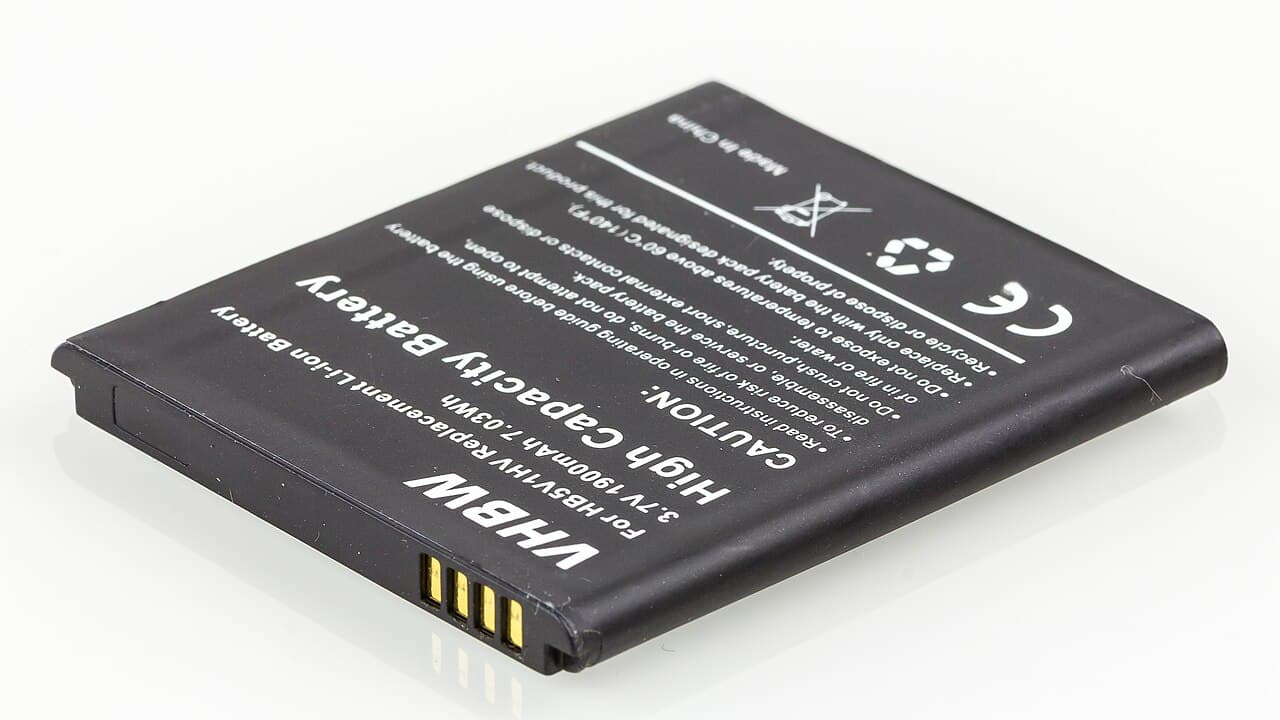
Parts and warranty. A repair that comes with a warranty is worth more than a slightly lower price without one. Ask any shop what its warranty covers and for how long.
Do you actually need a new battery?
A battery loses capacity as it ages, so check before you pay. On an iPhone, Apple says to open the Settings app, then tap Battery, then tap Battery Health.[2] Apple designs batteries of iPhone 14 models and earlier to retain 80 percent of their original capacity at 500 complete charge cycles under ideal conditions, and iPhone 15 batteries at 1000 complete charge cycles.[2] Below that level, you may notice shorter days. Android phones show a similar health figure in their battery or device care settings, and the manufacturer's support page for your model explains where.
If your phone drains fast but the battery reads healthy, an app or a setting may be the cause, and a new battery will not help.
Getting a quote you can compare
Do these in order and the numbers will line up.
- Check your battery health and write down the figure.
- Find out whether the phone is under warranty or an AppleCare plan.
- Look up Apple's estimate for your model, then ask two local shops for written quotes.
- Compare the same things: part, labor, tax, how long it takes and the warranty.
Ask each shop whether the battery is a genuine one. On newer iPhones, a battery that cannot be verified can trigger a Battery Health message that says "Unable to verify this iPhone has a genuine Apple battery."[2] Apple adds that the battery health information may not be accurate in that case, so ask what a shop's part will do to the reading.
Before you hand the phone over
Back it up, note any passcode the shop will need, and take the case off. After the repair, check that the phone charges, holds its charge and shows no battery error, and keep the receipt.
The old battery is a lithium-ion battery, and the EPA says lithium-ion batteries and devices containing these batteries should NOT go in household garbage or recycling bins.[4] Let the shop dispose of it or take it to a battery recycling drop-off.
Stop and call a pro if
Do not try to open the phone and swap the battery yourself. The EPA notes that not all batteries are removable or serviceable by the user,[4] and the EPA warns that even used batteries can have enough energy to injure or start fires.[4] Power the phone off and take it to a shop if:
- the back is lifting or the screen is bulging
- the phone gets very hot while charging or idle
- you smell something unusual or see leaking
- the phone shuts off at a high charge level
The U.S. Fire Administration says to stop using lithium-ion batteries if you notice an odor, change in color, too much heat, change in shape, leaking or odd noises.[3] If you see any of these signs, stop using and charging the phone and have a technician look at it.
Next steps
Browse more phone and tablet repair answers or see how battery replacement works on Loclis. See pricing for how Loclis charges.
To get prices for your own phone, describe the job once and local repair businesses quote it.
Common questions
- Is a battery replacement free under warranty?
- Sometimes. Apple says its AppleCare battery service replaces the battery for no extra charge if the capacity drops below 80%. Outside that coverage, Apple says it offers battery service for a charge, so check your coverage first.
- How do I know my phone needs a new battery?
- On an iPhone, open Settings, tap Battery, then Battery Health to see the maximum capacity. Apple designs iPhone 14 and earlier batteries to retain 80 percent of their original capacity at 500 complete charge cycles, and iPhone 15 batteries at 1000, under ideal conditions.
- Will an independent shop cost less than Apple?
- Often, but not always, and prices vary by model and shop. Apple Authorized Service Providers set their own fees. Compare written quotes that name the part, labor, tax and warranty rather than the headline number.
- Does a non-Apple battery cause a warning on an iPhone?
- It can. Apple says newer iPhones may show a message that it was unable to verify a genuine Apple battery, and that the battery health information may not be accurate. Ask the shop what part they use and what that does to the health reading.
- Is it safe to keep using a swollen or hot phone?
- No. The U.S. Fire Administration says to stop using lithium-ion batteries if you notice an odor, change in color, too much heat, change in shape, leaking or odd noises. Power the phone off and get it to a repair shop.
Sources
- [1] Apple Service and Repair for iPhone Battery, Apple Support. Checked October 27, 2026.
- [2] iPhone battery and performance, Apple Support. Checked October 27, 2026.
- [3] Battery Fire Safety, U.S. Fire Administration, FEMA. Checked October 27, 2026.
- [4] Used Lithium-Ion Batteries, U.S. Environmental Protection Agency. Checked October 27, 2026.
Want a pro to handle it?
Describe the job once. Licensed local businesses send quotes, and you pay only when you book one.
Get a quote for Phone & Tablet