Why does my phone battery drain so fast?
Usually one of three things: an app using power in the background, a worn-out battery, or heat. Check the battery usage list first, then cut background refresh, location and screen brightness. If an iPhone shows battery health near 80 percent and still dies fast, the battery has aged and a replacement will help more than any setting.
Free to ask. Local shops send quotes, and you pay only when you book one.
By Kasra Taheri, Founder, LoclisPublished
Researched and drafted with AI, then checked claim by claim against the sources listed below before it was published. Prices and rules change; the dates beside each source say when it was last checked.
Step by step
Read when to stop and call a pro, further down this page, before you start.
Step 1: Open the battery usage list
On an iPhone, go to Settings > Battery and note which apps use the most.[2] On Android, open the battery section of Settings.
Step 3: Lower the screen load
Dim the screen or turn on Auto-Brightness, and stay on Wi-Fi instead of cellular where you can.[2]
Step 4: Update and restart
Install the latest system and app updates, then restart the phone to clear a stuck app.
Step 5: Check battery health
On an iPhone, open Settings > Battery > Battery Health and read the maximum capacity.[1] On Android, look in battery or device-care settings.
Step 6: Keep it out of heat
Take the case off while charging if the phone gets hot, and keep it out of direct sun and hot cars.[2]
Step 7: Get a battery quote if it is worn
If capacity is near 80 percent or lower and the phone still dies fast, ask a repair business for a written quote on a new battery.
Start with what Settings says
A phone battery that suddenly drains fast has one of three causes: something is using more power than usual, the battery has worn out, or the phone is too hot or too cold. You can tell which in a few minutes. On an iPhone, go to Settings > Battery to see the proportion of the battery used by each app.[2] Android phones show a similar list under their battery settings, though the menu names differ by maker.
If one app dominates the list, that app is your answer. Close it, update it, or restrict what it does in the background. If nothing stands out and the whole phone just empties quickly, look at the battery itself.
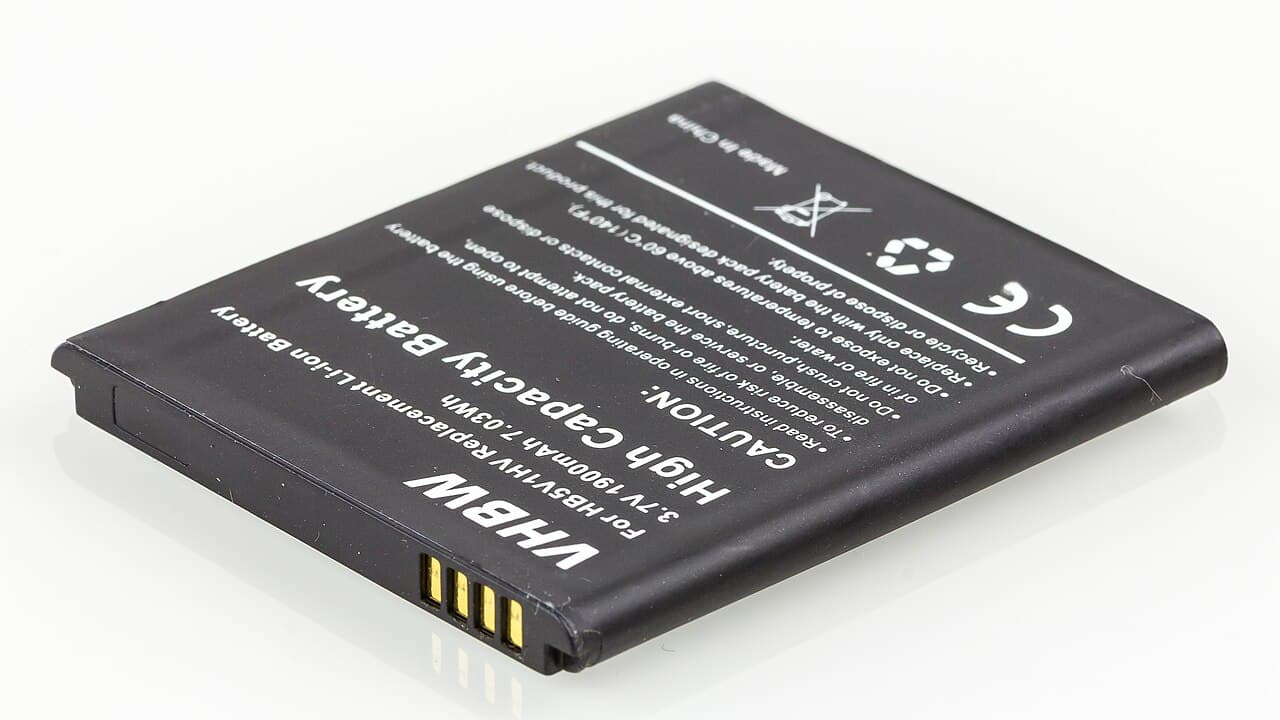
Apps working when you are not using them
Apple's battery guide names the usual culprits. Background Activity means the battery was used by the app while it was in the background, and you can turn off the feature that allows apps to refresh in the background.[2] Location use is another: you can optimize your battery life by turning off Location Services for the app.[2] An app that wakes the screen all day costs power too. If an app frequently wakes your display with notifications, you can turn off push notifications for the app.[2]
Weak signal and a bright screen
A phone in a poor coverage area works harder. Apple says "No Cell Coverage" or "Low Signal" in the battery list means you are in a poor cell coverage area and your device is searching for a better signal.[2] That is common in valleys and on rural Virginia roads. Airplane mode stops the searching if you do not need calls.
Screen brightness is the other big one. Dim the screen or turn on Auto-Brightness to extend battery life.[2] And a Wi-Fi connection uses less power than a cellular network,[2] so stay on Wi-Fi at home and work.
The battery has aged
Every phone battery wears out. As lithium-ion batteries chemically age, the amount of charge they can hold diminishes, resulting in shorter amounts of time before a device needs to be recharged.[1] Batteries of iPhone 14 models and earlier are designed to retain 80 percent of their original capacity at 500 complete charge cycles under ideal conditions.[1] Batteries of iPhone 15 models are designed to retain 80 percent of their original capacity at 1000 complete charge cycles under ideal conditions.[1] A phone that is two or three years old and charged daily is often at or past that point.
On an iPhone, Settings > Battery > Battery Health shows maximum capacity. If it is near or below 80 percent and the phone dies in a few hours, a new battery will help more than any setting. Apple says it will replace the battery for no extra charge if the capacity drops below 80%,[3] under its AppleCare terms. For what it costs without that coverage, see how much a phone battery replacement costs in Virginia.
An old battery also shuts the phone down early. You're more likely to experience unexpected shutdowns when your battery has a low state of charge, a higher chemical age, or when you're in colder temperatures.[1] A phone that jumps from 30 percent to off on a cold morning is showing its battery's age.
Heat and cold
Heat does lasting damage; cold does not. Apple says it is especially important to avoid exposing your device to ambient temperatures higher than 95° F (35° C), which can permanently damage battery capacity.[2] That includes a dashboard in July. When using your device in a very cold environment, you may notice a decrease in battery life, but this condition is temporary.[2]
A thick case can add to the problem. Charging your device when it's inside certain styles of cases may generate excess heat, which can affect battery capacity.[2]
Quick checks to run today
Work through the steps above in this order and you will usually find the cause: the battery list first, then background refresh and location, then brightness, then updates and a restart, then battery health. If the phone is near 80 percent capacity or lower and still dies fast, get a quote for a new battery.
Stop and call a pro if
- The phone is hot with nothing running. Stop using lithium-ion batteries if you notice an odor, change in color, too much heat, change in shape, leaking or odd noises.[4]
- The case is bulging or the screen is lifting. That is a change in shape; power the phone off and have a repair business look at it.
- A recent battery replacement still drains fast. The part or the install may be at fault, so go back to the shop with the receipt.
- The phone reports a battery it cannot verify. Apple says the battery health information on that screen might not be accurate, so have your battery checked.[1]
Do not pry open a phone to swap the battery yourself unless you know the model well, and do not put an old battery in the trash; take it to a battery recycling drop-off.
Getting help in Virginia
Once the cause is clear, how to make a phone battery last longer covers the habits that slow wear, and the phone and tablet repair answers cover related problems. To compare local businesses, see phone battery repair on Loclis.
When you are ready, describe the problem once and local repair businesses quote it.
Common questions
- Why did my battery suddenly start draining faster?
- A sudden change usually points to an app or a recent update rather than the battery. Check the battery usage list for an app near the top that was not there before, then limit its background refresh and location access. Cold weather also makes a battery seem to drain faster, and Apple says that effect is temporary.
- How do I know if the battery itself is worn out?
- On an iPhone, Settings > Battery > Battery Health shows maximum capacity relative to when the battery was new. Apple designs iPhone 14 and earlier batteries to retain 80 percent of capacity at 500 complete charge cycles, and iPhone 15 models at 1000, under ideal conditions. Below that, expect shorter days and early shutdowns.
- Is it normal for the phone to get warm while draining?
- Some warmth during heavy use or charging is normal. Heat with nothing running, or a case that swells or lifts, is not. Apple warns that temperatures above 95° F (35° C) can permanently damage battery capacity, and the U.S. Fire Administration says to stop using a lithium-ion battery that shows too much heat or a change in shape.
- Will a battery replacement fix the drain?
- If the battery has aged, yes. If an app is the cause, a new battery only hides it for a while. Check the usage list and battery health first, so you pay for a replacement only when the numbers support it. Apple's AppleCare battery service covers the replacement when capacity drops below 80 percent.
- Does closing apps save battery?
- Usually not by itself. Apps sitting in the app switcher are generally suspended. The savings come from stopping what they do in the background: background refresh, location access and frequent notifications, all of which are in Settings.
Sources
- [1] iPhone battery and performance, Apple Support. Checked October 28, 2026.
- [2] Batteries - Maximizing Performance, Apple Inc.. Checked October 28, 2026.
- [3] Apple Service and Repair for iPhone Battery, Apple Support. Checked October 28, 2026.
- [4] Battery Fire Safety, U.S. Fire Administration, FEMA. Checked October 28, 2026.
Want a pro to handle it?
Describe the job once. Licensed local businesses send quotes, and you pay only when you book one.
Get a quote for Phone & Tablet