Why won't my phone charge when it's plugged in?
Most often the cause is the cable, the adapter, the outlet or debris in the charging port, so test those first. Try a different cable and outlet, restart the phone, clear the port gently with the phone off, and give it half an hour on the charger. If it still will not charge, the port or battery may need a repair shop.
Free to ask. Local shops send quotes, and you pay only when you book one.
By Kasra Taheri, Founder, LoclisPublished
Researched and drafted with AI, then checked claim by claim against the sources listed below before it was published. Prices and rules change; the dates beside each source say when it was last checked.
Step by step
Read when to stop and call a pro, further down this page, before you start.
Step 1: Check the cable and adapter
Look at the charging cable and the wall adapter for breakage or bent prongs, and do not use anything that is damaged.[1]
Step 2: Change the power source
Plug the cable straight into a wall adapter and a different outlet, with nothing else between the phone and the charger, and press every connection in firmly.[1]
Step 3: Try a different cable and charger
Swap in a cable and adapter you know work on another device.[1]
Step 4: Restart the phone
Restart the phone, then plug it in again. A frozen screen or a software hiccup can hide a charger the phone would otherwise accept.
Step 5: Look into the port
Power the phone off, take the case off and shine a flashlight into the charging port. Packed lint is a common reason a plug will not seat.
Step 6: Clear the port gently
With the phone still off, lift out lint with a wooden or plastic toothpick using light pressure.[1] Do not use metal pins or needles, and do not use water or compressed air.
Step 7: Charge for half an hour
Plug the firmly seated cable back in and leave the phone alone for half an hour.[1]
Step 8: Force restart if the screen stays dark
If the phone will not power on, force restart it using the steps for your model from the maker's support page, then charge for another half hour.[1]
Step 9: Move it somewhere cooler
If charging stops partway or never gets past about 80 percent, check whether the phone is warm and move it and the charger to a cooler spot.[1]
Step 10: Book a repair if nothing works
If the phone still will not charge, back it up if it powers on, and ask a repair shop for a written quote.
A phone that will not charge is usually a cable, adapter, outlet or dirty-port problem, and you can test all four in about ten minutes. Work through them in order before you pay for a repair, and stop at the first change that gets the charging icon back.
Start with the cable, adapter and outlet
These parts wear out far more often than the phone does. Apple tells people to check the charging cable and USB adapter for signs of damage, like breakage or bent prongs, and not to use damaged accessories.[1] Frayed jackets, kinked ends and a cable that only works when you hold it at an angle all point to a failing cable.
Then check the connections. Apple's advice is to use a wall power outlet and check for firm connections between your charging cable, USB wall adapter, and wall outlet or AC power cable, or try a different outlet.[1] A loose wall adapter or a dead outlet, or a power strip that is switched off, is easy to miss.
Connect the phone directly to the charger. Apple says to connect your device directly to the charger, without any adapters or other equipment between your device and the charging accessory.[1] Docks, car adapters and hubs add more places for the connection to fail. Finally, borrow a cable and adapter you know work on another device.[1] If the phone charges with the borrowed set, the old set was the problem.
Restart the phone
Restart the phone and plug it in again. A software hiccup can stop a phone from recognizing a charger, and a restart costs nothing. If the screen stays dark or shows only a battery icon, a force restart is the next step. For an iPhone 8 or later, Apple's steps are: press and quickly release the volume up button, press and quickly release the volume down button, then press and hold the side button until the Apple logo appears.[1] Other models and Android phones use different button combinations, so look up your model on the maker's support page.
After either restart, leave the phone on the charger. Apple's instruction is to let your device charge for half an hour.[1] A deeply drained battery can show nothing at all for a while before it responds.
Clear out the port
Pocket lint packs into a charging port over time and can keep the plug from seating all the way. Apple's guidance is to remove any debris from the charging port on the bottom of your device, then firmly plug your charging cable into your device.[1]
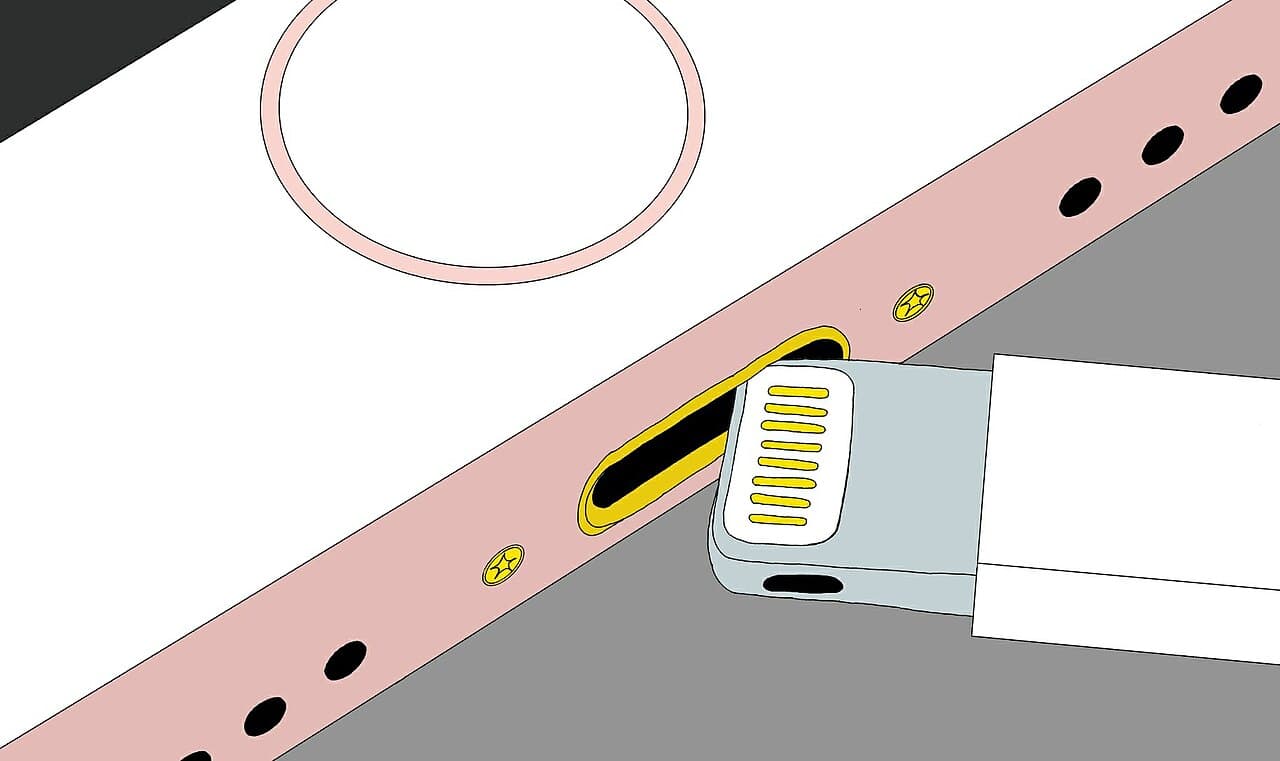
Power the phone off first. Take the case off, shine a flashlight into the port and lift out any packed lint with a wooden or plastic toothpick, using light pressure. Skip metal pins and needles, which can scratch the contacts or short them. Skip water, liquids and compressed air too. Plug a known good cable in firmly and see if it clicks in deeper than before.
When it charges, but only partly
Not every charging problem is a fault. Apple says your iPhone might get slightly warmer while it charges, and that if the battery gets too warm, software might limit charging above 80 percent.[1] It adds that your iPhone will charge again when the temperature drops.[1] If charging stalls in a hot car or under a pillow, move the phone and charger somewhere cooler and try again.
An accessory warning on the screen has its own causes. Apple lists a dirty or damaged charging port, and a charging accessory that is defective or damaged.[1] Cleaning the port and swapping the cable address both.
Tell the cause from the symptom
| What you see | Likely cause |
|---|---|
| Works with a borrowed cable, not yours | Worn cable or adapter |
| Charges only when held at an angle | Lint in the port or a worn connector |
| Slow charging, stops near 80 percent, warm phone | Heat limiting, or a charge limit setting |
| Nothing works, even after half an hour | Port, battery or board fault |
Stop and call a pro if
Do not open the phone, and do not push anything metal into the port. Power the phone off, unplug it and have a shop look at it if:
- nothing above works. Apple says that if your device still won't power on or charge, you might need service.[1]
- the port looks bent, cracked or burnt
- the phone has been wet or dropped
- the back is lifting or the screen is bulging
- the phone gets hot at the port or while charging
The U.S. Fire Administration says to stop using lithium-ion batteries if you notice an odor, change in color, too much heat, change in shape, leaking or odd noises.[3] Do not keep charging a phone that does any of those.
At a shop, ask whether the problem is the port, the battery or the charging board, and get the answer in writing with the part, labor, tax and warranty. Apple says, "We’ll inspect your device to determine the final service fee."[2] Independent shops set their own, so a diagnosis before a price is normal.
Getting help in Virginia
If cleaning and swapping parts did not work, read how much charging port repair costs in Virginia before you call anyone. Browse more phone and tablet repair answers, or see how charging port repair works on Loclis.
When you are ready, describe the problem once and local repair businesses quote it.
Common questions
- Why does my phone charge only at a certain angle?
- Usually because lint is packed into the port or the connector inside has worn, so the plug only makes contact in one position. With the phone off, gently clear the port with a wooden or plastic toothpick. If it still needs wiggling, the port likely needs a repair.
- Why did my phone stop charging at 80 percent?
- It may be working as designed. Apple says that if the battery gets too warm, software might limit charging above 80 percent, and that the phone will charge again when the temperature drops. Newer iPhones can also have a charge limit set in Settings, so check that before assuming a fault.
- How do I know if it is the cable or the phone?
- Try the same cable and adapter on another device, and try a different cable and adapter on your phone. If a known good cable fails on your phone but your old cable works on another device, the phone is the problem. If the old cable fails everywhere, replace the cable.
- Is it safe to keep trying if the phone is hot?
- No. The U.S. Fire Administration says to stop using lithium-ion batteries if you notice an odor, change in color, too much heat, change in shape, leaking or odd noises. Unplug the phone, power it off and have a shop look at it.
- Could the battery be the problem instead of the port?
- Yes. A worn or failed battery can look like a charging fault. A shop can test the port and the battery separately, which is why a written diagnosis is worth asking for before you pay for a part.
Sources
- [1] If your iPhone or iPod touch won't charge, Apple Support. Checked October 28, 2026.
- [2] Apple Service and Repair for iPhone, Apple Support. Checked October 27, 2026.
- [3] Battery Fire Safety, U.S. Fire Administration, FEMA. Checked October 27, 2026.
Want a pro to handle it?
Describe the job once. Licensed local businesses send quotes, and you pay only when you book one.
Get a quote for Phone & Tablet