Why won't my pool automation system connect to my phone?
Most phone connection failures are network problems, not pool problems: the automation adapter is wired to your home router, so a changed router, a new IP address, weak signal or a lost adapter setting can make it vanish from your phone. If the app still cannot find it, the adapter sits in the pool control panel, which is work for a licensed pro.
Free to ask. Local shops send quotes, and you pay only when you book one.
By Kasra Taheri, Founder, LoclisPublished
Researched and drafted with AI, then checked claim by claim against the sources listed below before it was published. Prices and rules change; the dates beside each source say when it was last checked.
This is a job for a licensed pro in Virginia
This page explains what the work involves, the permits, what a licensed pro does and what drives the cost. It does not give step-by-step instructions, because this work needs a licence, a permit or both, and doing it wrong can injure someone. Before you hire, check the licence on Virginia's DPOR record.
Most pool automation connection problems start at the home network, not at the pool. The adapter that talks to your phone is wired to your router, so a new router, a changed address, weak signal or a lost setting can make the system disappear from your app. When the router side checks out and the app still cannot find the system, the adapter lives in the pool equipment's electrical enclosure, and that is a job for a licensed pro.
How the connection works
Pentair's ScreenLogic2 guide is a good example of how many systems are built. A protocol adapter connects to your home router with an Ethernet cable and receives power from the pool system's load center.[1] Your phone or computer reaches the pool controller through the router, so if the router changes, the path changes. Other brands work differently, so check your own manual, but the logic is similar: the pool controller only appears on your phone if the router can find it.
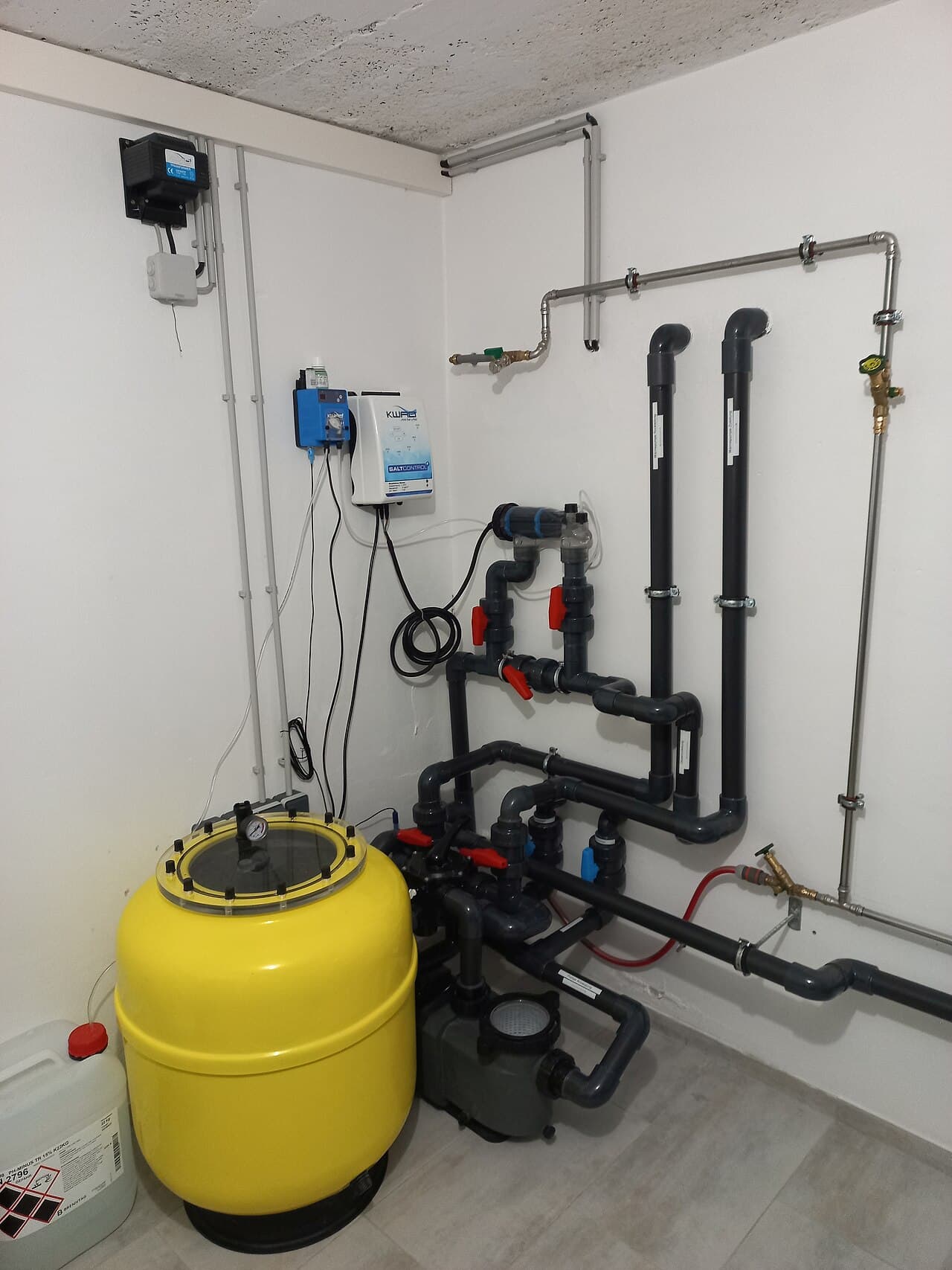
For another piece of pool equipment that a controller can manage, see how a salt chlorine generator works.
Common reasons the phone cannot connect
You changed the router or the network. The adapter is set to Dynamic Host Configuration Protocol (DHCP) by default, which means the existing router assigns it an IP address.[1] A static IP address can be set on the adapter instead,[1] and a static address from the old network will not work on the new one. Pentair says that if there has recently been a network change and the adapter is no longer visible, there may be a configuration conflict.[1] Its fix is a reset of the adapter's network settings back to DHCP addressing, which should make the adapter visible on the local network again.[1] The adapter is inside the pool electrical area, so leave that to a pro.
Weak or crowded Wi-Fi. Pentair says each wall or ceiling can rob a wireless router of 3 to 90 feet of range.[1] It advises keeping the router at least 3 to 6 feet away from devices that generate radio noise, such as microwaves, monitors and electric motors.[1] It also warns that anything using the 2.4 GHz frequency could interfere with your wireless network.[1] If the pool is far from the router, a Wi-Fi problem looks like a pool problem.
A wrong system name or password. Pentair says the adapter's system name is built from the last six digits of its serial number, and that the remote access password is one you assign in the configuration software.[1] A forgotten or mistyped password produces the same "cannot connect" message as a dead network, so check the login before you blame the hardware.
The app shows old information. The adapter queries the pool control system when it first starts up and every 30 minutes after that,[1] so a schedule changed at the panel may take a while to appear. Pentair says that after changes to the pool control system, power to the adapter may need to be cycled to force a fresh synchronization.[1]
Hardware failure. A dead adapter, a damaged cable or a failed controller board will also stop the app from connecting. That is the hardest to tell apart from a network problem without testing equipment.
What you can sort out yourself
Everything on your side of the router is fair game. Confirm other devices are online, check whether the router was replaced or its settings changed recently, and make sure the phone is on the home network rather than mobile data if your app only works locally. Write down what changed and when, because that history shortens a service visit. Do not open the pool control panel or equipment enclosure yourself.
When to call a licensed pro
Call one when the app still cannot find the system after the router side checks out, when it stopped working after a power outage or storm, or when the pool equipment itself misbehaves.
The adapter, its cable and the controller sit in the same enclosure as the pool's power, so this is electrical work. Virginia law says no individual may work as a tradesman in the electrical, plumbing or heating, ventilation and air conditioning trades without a tradesman licence, unless working under the supervision of a licensed tradesman.[3][4] DPOR also says a valid Virginia contractor's licence is required when the work is valued at $1,000 or more.[2] If you contract with someone who does not hold a licence, the Board for Contractors may not be able to help you resolve a complaint.[2]
Ask the pro for their licence number and class and check the licence first. A good visit starts with your notes about what changed and ends with the system visible in the app and a written note of any settings changed.
Loclis lists licensed pool and equipment businesses. Browse pool and spa services or read more pool and spa answers.
To get a service visit quoted, describe the problem once and local licensed businesses respond.
Common questions
- Why did my pool app stop working after I changed my router?
- Because the pool adapter was set up on the old network. Pentair says that after a network change the adapter may no longer be visible because of a configuration conflict, and that resetting its network settings to DHCP should make it visible again. That reset happens at the pool control panel, so have a pro do it.
- Does my phone's Wi-Fi band matter?
- It can. Pentair warns that anything using the 2.4 GHz frequency could interfere with your wireless network, including cordless phones. A busy router or one placed far from the pool can drop the connection.
- Why does the app show old settings after we changed the schedule at the panel?
- The adapter checks the pool control system at start-up and every 30 minutes, according to Pentair. After panel changes, power to the adapter may need to be cycled to force a new synchronization.
- Can I fix this myself?
- You can check your own side first: the router, the phone's connection and the app login. The adapter, its cable and the controller sit in the pool equipment's electrical enclosure, which is licensed electrical work in Virginia.
- Who should I hire for a pool automation problem?
- A licensed pool or electrical contractor who services your brand of automation. Ask for the Virginia licence number and class and verify it before work starts.
Sources
- [1] ScreenLogic2 Control System Interface Installation and User's Guide, Pentair Water Pool and Spa (manufacturer's manual). Checked October 27, 2026.
- [2] What You Should Know Before You Hire a Contractor, Virginia Board for Contractors, DPOR. Checked October 27, 2026.
- [3] Va. Code § 54.1-1129, Necessity for licensure (tradesmen), Code of Virginia, Virginia General Assembly. Checked October 27, 2026.
- [4] Va. Code § 54.1-1128, Definitions (tradesmen), Code of Virginia, Virginia General Assembly. Checked October 27, 2026.
Want a pro to handle it?
Describe the job once. Licensed local businesses send quotes, and you pay only when you book one.
Get a quote for Pool Equipment