How often should I charge a battery video doorbell?
There is no fixed schedule. Recharge when the app reports a low battery, which can come after weeks or months depending on how busy your door is, the weather and your camera settings. Check the level in the app every few weeks, charge before it runs out, and use a solar charger if the doorbell drains quickly.
Free to ask. Local shops send quotes, and you pay only when you book one.
By Kasra Taheri, Founder, LoclisPublished
Researched and drafted with AI, then checked claim by claim against the sources listed below before it was published. Prices and rules change; the dates beside each source say when it was last checked.
Step by step
Read when to stop and call a pro, further down this page, before you start.
Step 1: Check the battery level
Open the app and look at the doorbell's battery level. On Ring, that is under Device Health, in the Power section.[1]
Step 2: Recharge when the app says it is low
Recharge your battery when the app tells you its battery is low.[2]
Step 3: Take the doorbell or battery off
Remove the security screws with the supplied screwdriver, then lift the doorbell off its bracket or slide out the battery.[1]
Step 4: Use a proper power source
Plug the supplied cable into a USB power source rated at a minimum of 1 amp.[1]
Step 5: Charge until the light says full
Wait for the full-charge light. A Ring battery can take up to 10 hours.[1]
Step 6: Put it back
Reattach the doorbell or battery and use only the small star-shaped screws that came with your device.[1]
Step 7: Adjust settings if it drains fast
If the battery seems to drain faster than it should, adjust settings to save more battery.[2] Shorter clips, fewer motion zones and lower sensitivity help.
Charge it when the app says the battery is low, not on a calendar. A battery video doorbell has no standard charging interval, because how fast it drains depends on how often it records, the weather and how you set it up. Plan on checking the level every few weeks and topping it up before it reaches empty.
Why there is no single number
Google puts it plainly: "Battery life depends on various factors including activity, temperature, and selected camera settings."[3] Each time someone walks past, the doorbell wakes, records and uploads. A door facing a sidewalk or a busy street can use the battery much faster than one at the end of a quiet driveway. A weak Wi-Fi signal means more retries and more drain too, as the sibling guide on why a video doorbell keeps disconnecting explains.
So treat any "lasts six months" claim as a best case. Your own app tells you more.
How to check the level
In the Ring app, open the main dashboard, tap the menu, then Device Settings, then the Device Health tile. "Under Power, you can see your doorbell's Power Source and Battery Level."[1] Google's app shows the same thing and sends an alert when it is low. Google's advice: "Recharge your battery when the app tells you its battery is low."[2]
Do not wait for the last alert. A dead doorbell means no visitor alerts and no recording, and it usually dies at the wrong time. Charging when the first low-battery alert arrives keeps a margin.
How to charge it
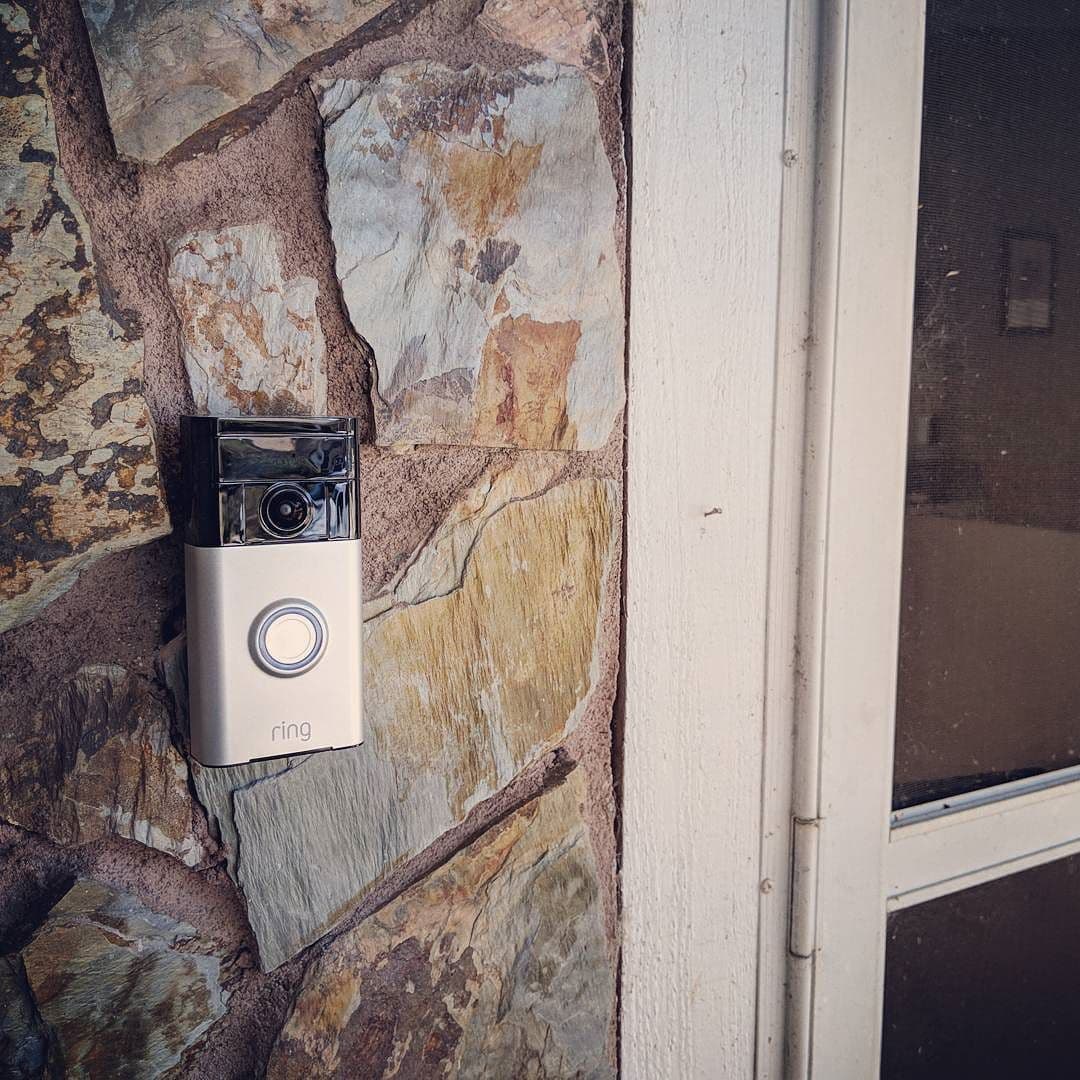
Take off the security screws, then lift the doorbell off its bracket, or on a removable-battery model, slide the battery out. Plug in the cable that came with it. Ring says: "The battery can take up to 10 hours to fully charge, and will require a minimum output of 1 amp to properly charge the battery."[1] A wall adapter is better than a slow port on a laptop or a TV.
The lights tell you when to stop. On a Ring removable battery, "Charge the battery until only the green light remains lit."[1] On a Ring doorbell with a built-in battery, "The circular LED on the front of your doorbell will display a solid light when the battery is fully charged."[1] On Google's, "The status light will pulse white when your doorbell is charging, and will appear solid white when it's completely charged."[2]
When you put it back, use the right fasteners: Ring says to "only use the small star-shaped screws that came with your device. Do not use any other screws."[1]
Make it last longer
If the charge falls faster than you expect, Google says: "If the battery seems to drain faster than it should, try to adjust settings to save more battery."[2] The usual levers are motion sensitivity, motion zones that exclude the street, shorter clips and fewer live-view sessions.
Cold matters as well. Google notes that "extreme hot or cold temperatures can affect things like the video quality."[2] A shaded, sheltered spot helps the doorbell, and you may find winter charging comes around sooner.
Two upgrades remove most of the chore. For Ring models with a removable pack, "To extend the battery life or avoid downtime during charging for Ring doorbells that use the Ring Quick Release Battery Pack or Quick Release Ultra Battery Pack, you can purchase an additional battery."[1] Swap in the charged one and charge the other on a shelf. And a solar charger helps on a sunny door: Ring sells one to "Extend the battery life of your doorbell with 3-4 hours of direct sunlight per day."[4]
If it will not charge
Start with the cheap tests. Ring suggests: "Test your outlet to make sure it's working properly by plugging in another device."[1] Then: "Try using a different charging cable."[1] Check that the port is clean and dry, and that the doorbell sits fully on its charger.
Stop and call a pro if
- You want to hardwire it for a constant charge. Ring says "You can hardwire your battery-powered doorbell to existing doorbell wiring or a low-voltage transformer to provide a trickle charge to the battery."[1] That means working with doorbell wiring and its transformer, so ask a licensed electrician if you are unsure.
- You find bare, damaged or unexpected wires behind the doorbell.
- The battery swells, smells or gets hot while charging. Stop using it and contact the maker.
- The doorbell will not charge with a working outlet and a different cable.
- The mounting spot needs a tall ladder to reach.
Getting help in Virginia
To mount or replace a doorbell, see how to install a battery-powered video doorbell, and for what a pro charges, how much it costs to install a video doorbell in Virginia. Browse Security & Smart Home or see more smart home answers.
If you would rather not climb up to it, describe the job once and local pros quote it.
Common questions
- How long does a video doorbell battery last?
- It varies too much for one number. Google says battery life depends on various factors including activity, temperature, and selected camera settings. A doorbell facing a busy street records far more clips than one on a quiet cul-de-sac, so watch your own app's battery level over a few weeks.
- How long does charging take?
- Ring says its battery can take up to 10 hours to fully charge and needs a minimum output of 1 amp. A weak phone-charger port or a laptop USB port can take much longer, so use a wall adapter rated for the job.
- Is it bad to charge the battery overnight?
- Neither Ring's nor Google's charging guides tell you to avoid it. Follow your model's manual, keep the battery away from heat, and unplug a battery that gets hot, swells or smells.
- Does cold weather drain the battery faster?
- It can. Google lists temperature among the factors that affect battery life, and notes that extreme hot or cold temperatures can affect things like the video quality. In a Virginia winter, expect to charge a little more often and charge indoors, not on a freezing porch.
- My doorbell will not charge. What do I check?
- Ring suggests two quick tests: plug another device into the outlet to make sure it works, and try a different charging cable. If both are fine and the battery still will not charge, contact the maker.
- Can I stop charging it altogether?
- Often, yes. Ring says you can hardwire a battery-powered doorbell to existing doorbell wiring or a low-voltage transformer to provide a trickle charge to the battery. That hookup is for a licensed electrician if it involves live wiring, so skip it unless you are sure.
Sources
- [1] Charging your Ring doorbell, Ring Help. Checked October 28, 2026.
- [2] Install Nest Doorbell (battery), Google Home and Nest Help. Checked October 28, 2026.
- [3] Nest Doorbell (battery), Google Store. Checked October 28, 2026.
- [4] Battery Doorbell 2K, Ring. Checked October 28, 2026.
Want a pro to handle it?
Describe the job once. Licensed local businesses send quotes, and you pay only when you book one.
Get a quote from a local pro