Do I need a C-wire for a smart thermostat?
Often not, but it depends on the thermostat and your system. Google says many Nest models can run without one, and ecobee says its power extender kit was used in under 15% of installs. Honeywell's T5 requires one. Check the maker's compatibility checker, then look behind your old thermostat for a C terminal or an unused wire.
Free to ask. Local shops send quotes, and you pay only when you book one.
By Kasra Taheri, Founder, LoclisPublished
Researched and drafted with AI, then checked claim by claim against the sources listed below before it was published. Prices and rules change; the dates beside each source say when it was last checked.
Step by step
Read when to stop and call a pro, further down this page, before you start.
Step 3: Turn the power off
Switch off the heating and cooling system at its switch or at the breaker or fuse box.[1]
Step 4: Confirm it is off
Change the temperature on the old thermostat by at least 5 degrees and wait at least 5 minutes to check that the system does not turn on.[1]
Step 5: Remove the cover and photograph the wires
Pull or unscrew the cover, then take a clear photo of the wires with the terminal labels readable.[1]
Step 6: Look for a wire on the C terminal
See whether a wire is already connected to a terminal labeled C. If it is, the thermostat can use it.
Step 7: Look for an unused wire
If there is no C wire, gently pull the wire bundle out of the wall and check for an extra wire pushed back or wrapped around the bundle.[3]
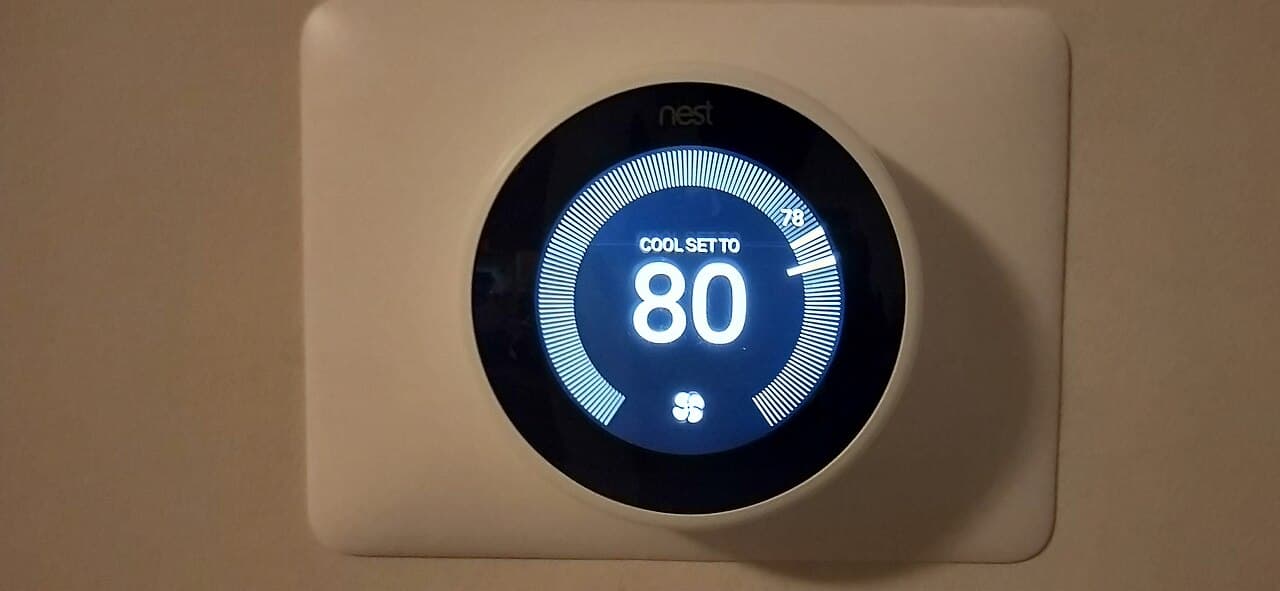
Maybe. Many smart thermostats need a steady supply of low-voltage power that older, battery-and-dial models never did, and the C-wire is the cleanest way to deliver it. Whether you need one depends on the model you are buying and on what your furnace or air handler can supply.
The common (C) wire is simple in purpose. As Google's Nest help page puts it, "The common (C) wire doesn't control heating or cooling. Instead, C wires help deliver power from the system to the thermostat in case the other wires can't provide enough power."[1]
It depends on the brand
Makers differ, and they say so openly.
Google's position is that not all systems have a C wire installed, but Nest thermostats were engineered to use as little power as possible for their display and internal circuitry, so in many cases they do not need one.[1] Honeywell goes the other way for its T5: its install guide lists "Required: 24 VAC power ("C" wire)."[3] ecobee supplies a Power Extender Kit for homes without a C wire, and says its kits were used in "less than 15% of ecobee Smart Thermostat installations."[2] The kit comes with all ecobee thermostats except Smart Thermostat Essential and Smart Thermostat Lite and only works with 24 VAC systems.[2]
So the first step is always the maker's own compatibility checker, run before you buy.
When a thermostat that "doesn't need one" still does
Even models designed to go without a C wire can misbehave on some systems. Google lists the cases.
- Weak power. Some systems can't deliver enough power (at least 20 volts) over the existing system wires, so a Nest thermostat's battery may slowly drain and eventually cause the thermostat to turn off.[1] A thermostat that goes blank every few days is the typical sign.
- Buzzing gas valves. Some gas valves on systems vibrate or buzz when a Nest thermostat is installed. This can usually be fixed by connecting a C wire.[1]
- Certain controls. Google also names micro-controller based systems and some zone or relay panels as likelier to need one.[1]
Check what you have at the thermostat
You can answer most of the question without touching the equipment. Work at the wall only, with the system switched off.
First rule out the wrong kind of system. Thick wires joined with wire nuts, or a thermostat labeled 120 V or 240 V, mean line voltage. High voltage systems, such as electric baseboard heaters, aren't compatible with Nest thermostats.[1] Honeywell's guide gives the same warning for the T5.[3]
Turn the heating and cooling off at its switch or the breaker, then prove it. Change the temperature on your thermostat by at least 5 degrees, and wait at least 5 minutes to check if your system turns on, because many systems have a built-in delay.[1]
With the cover off, photograph the wires with their labels readable. Then look for a wire in the C terminal. Not all heating/cooling equipment use the C label for the 24 VAC common wire, so if the terminal is labeled differently, the equipment manual or the manufacturer will say which one it is.[3]
No C wire? Honeywell's guide suggests pulling the wire bundle gently out of the wall, because there might be an extra wire pushed into the wall or wrapped around the wire bundle.[3] A spare wire is a good find, but it still has to be connected at the equipment end.
If you do not have one
You have three realistic options.
- Use the maker's workaround: a power extender kit, a power connector or an adapter, depending on the brand.
- Have a technician connect a spare wire already in the wall.
- Have a technician run a new wire. Costs can vary depending on how difficult it is to route a new wire through your walls.[1]
The first and second options both involve the equipment's control board, so they are not a casual swap. Ask for a written quote that names the thermostat model, the wire or kit, and the testing.
Stop and call a pro if
- The equipment end needs work. Connecting a wire at the furnace or air handler control board, or fitting a power kit there, is a job for an HVAC technician.
- You have line voltage. Millivolt, high-voltage systems, dual transformer and fan coil or communicating units are incompatible with ecobee's kit.[2]
- The wires are stranded. Google says that if your wires are stranded, you may be able to contact a local professional to cap, solder or replace stranded wires with a solid core wire.[1]
- The thermostat keeps going blank after you install it. That points to a power problem you should have tested.
- Anything shows scorching or damage at the terminals or wires.
In Virginia, the Board for Contractors licenses businesses engaged in the construction, removal, repair, or improvement of facilities on property owned by others.[4] Ask for the licence number and check it on DPOR's lookup before work starts.
Getting help in Virginia
If the thermostat will not come on after you install it, read why a new thermostat is not working, and once it is running, how to set a smart thermostat schedule to save energy. Loclis lists licensed HVAC businesses; browse smart home help or more smart home answers.
When you are ready, describe the job once and licensed local pros quote it.
Common questions
- What does a C-wire actually do?
- It is the common wire, and it does not control heating or cooling. Google's help page says it helps deliver power from the system to the thermostat in case the other wires cannot provide enough. A smart thermostat has a screen and Wi-Fi radio to keep running, so a steady supply matters more than it did for an old dial.
- Which smart thermostats need a C-wire?
- It varies by brand, model and your equipment. Honeywell's T5 install guide lists 24 VAC power through a C wire as required. Google says many Nest installs do not need one but some systems do, and ecobee ships a power extender kit with most models for homes without one. Always run the maker's compatibility checker.
- Can I use a wire I already have in the wall?
- Often yes. Honeywell's guide says to check for an extra wire pushed into the wall or wrapped around the bundle. Using it still means connecting its other end at the furnace or air handler, which is low-voltage work at the equipment, so have an HVAC technician do that unless you are sure how.
- What if there is no spare wire?
- Use the maker's workaround or a new wire. Honeywell includes a C-wire power adapter offer, ecobee sells and bundles a Power Extender Kit for 24 VAC systems, and Google offers the Nest Power Connector. Or a licensed HVAC contractor can run a new wire, at a cost that depends on how hard the route through your walls is.
- Will a smart thermostat damage my system if it lacks a C-wire?
- It usually will not damage it, but symptoms are real. Google says that on systems that cannot supply enough power the thermostat battery may drain until it shuts off, and that some gas valves buzz or vibrate until a C wire is connected. If your thermostat keeps going blank or resets, treat it as a power problem.
- Can I install a smart thermostat on baseboard heat?
- Not an ordinary one. Baseboard heaters usually run on line voltage, and Google says high voltage systems such as electric baseboard heaters are not compatible with Nest thermostats. Honeywell says the same about the T5. Look for a thermostat made for line-voltage heat, and have a licensed electrician or HVAC contractor install it.
Sources
- [1] Check if a Google Nest thermostat is compatible with your system, Google Nest Help. Checked October 28, 2026.
- [2] Power Extender Kit, ecobee. Checked October 28, 2026.
- [3] T5 Smart Thermostat Quick Install Guide, Resideo (Honeywell Home). Checked October 28, 2026.
- [4] Board for Contractors, Virginia Department of Professional and Occupational Regulation. Checked October 28, 2026.
Want a pro to handle it?
Describe the job once. Licensed local businesses send quotes, and you pay only when you book one.
Get a quote from a local pro