Why does my video doorbell keep disconnecting from Wi-Fi?
Most dropouts come from a weak signal at the front door, interference, a router that needs a restart, or a low battery that cuts the doorbell's Wi-Fi performance. Check the signal first, restart the router, then charge the doorbell. If it still drops, move a mesh node or extender closer to the door.
Free to ask. Local shops send quotes, and you pay only when you book one.
By Kasra Taheri, Founder, LoclisPublished
Researched and drafted with AI, then checked claim by claim against the sources listed below before it was published. Prices and rules change; the dates beside each source say when it was last checked.
Step by step
Read when to stop and call a pro, further down this page, before you start.
Step 1: Note when it drops
Check in the app whether the doorbell goes offline at certain times, such as evenings, or only when it is cold or the battery is low.
Step 2: Check the battery
Charge the doorbell if the app says the battery is low, because low power can reduce the Wi-Fi connection.[1]
Step 3: Restart the router
Restart your router and wait a few minutes for the doorbell to reconnect.[1]
Step 4: Test the signal at the door
Stand at the door with your phone and run a speed test or watch for a weak Wi-Fi bar. Compare it with the reading next to the router.
Step 5: Shorten the distance
If possible, move your doorbell and router closer to each other to improve the signal.[1] Often that means moving the router, or adding a mesh node or extender inside near the door.
Step 6: Reduce interference
Reduce wireless interference.[1] Move the router off the floor and away from microwaves, cordless phone bases and thick masonry.
Step 7: Check the network band
Some doorbells work only on 2.4GHz networks, so make sure the router's 2.4GHz band is on and the doorbell is joined to it.[2]
Step 8: Rejoin the network if needed
If you changed the router or its password, add the doorbell to the new network in its app. For a hidden network, type the network name manually.[1]
Step 9: Update the firmware
Accept any firmware update the app offers.[4]
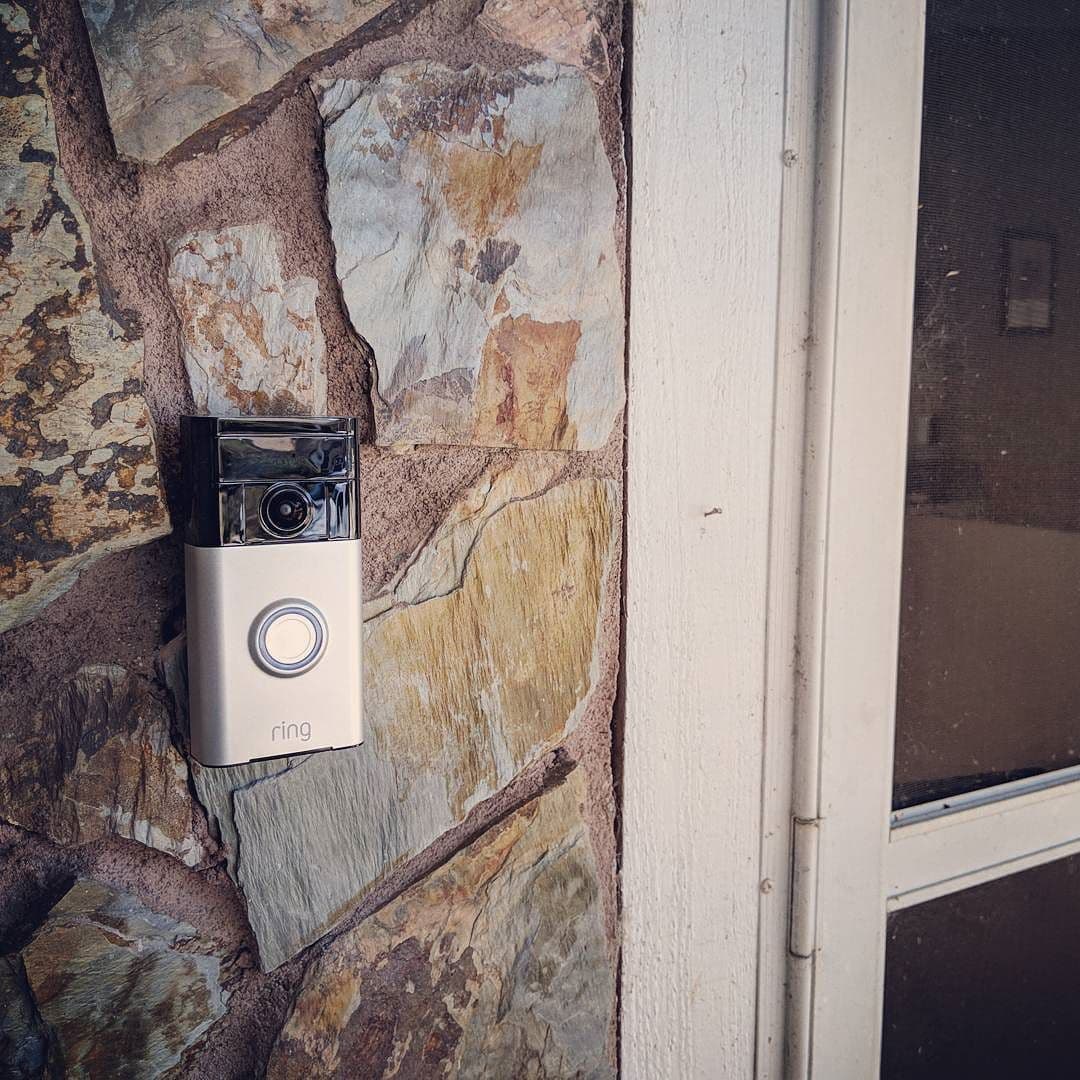
Start with the signal at your front door. A video doorbell sits outside, often behind a brick wall or a metal-framed storm door, at the far end of the house from the router. When it keeps dropping off, the fix is usually to get a stronger signal to that spot, or to charge a low battery that is dragging the connection down.
What usually causes the drops
A weak signal at the door. If your doorbell is having video delays or lag, it's usually a sign that the Wi-Fi connection is weak.[1] Lag is the early warning. Dropouts are the same problem a step further along.
Not enough upload speed. The doorbell sends video out, so your upload speed matters more than your download. Google's setup guide asks for "A broadband internet connection, with at least 2 Mbps of upload speed for your doorbell."[1] Ring recommends more for its higher-resolution models: "A minimum upload speed of 10 Mbps is recommended for Ring 2K devices."[2] The load changes too: "Cameras use more bandwidth to stream video when there is motion in the scene."[1] So a doorbell can look fine all day and stumble when a car pulls up and other devices are streaming.
A low battery. On a battery model, power and Wi-Fi are linked. "Things like the Wi-Fi connection and the video quality can also be reduced when there isn't enough power."[1] If the doorbell drops out as the battery runs down and behaves after a charge, that is your answer. The sibling guide on how often to charge a battery video doorbell covers it.
Interference and the wrong band. Thick masonry, metal, mirrors, microwaves and a crowded neighbourhood all weaken Wi-Fi. Some doorbells connect only to the slower, longer-reaching band: "It works with 2.4GHz WiFi networks (WiFi 4), optimized for reliable 2K streaming."[2] If your router combines both bands under one name, or you changed routers, the doorbell may need to be added again.
Fix it in this order
Start with the cheap checks. Look in the app for a pattern in when the doorbell drops, then check the battery. If the app says it is low, charge it first.
Next, restart the router. Google's guidance is "Try restarting your router."[1] Unplug it for 30 seconds, plug it back in and give the doorbell a few minutes.
Then test the signal at the door. Stand where the doorbell hangs and run a speed test on your phone. If the speed is a fraction of what you get next to the router, distance is the problem. Google's advice is "If possible, move your doorbell and router closer to each other to improve the signal."[1] You cannot move the door, so move the signal: put the router in a more central spot, or add a mesh node or extender on the inside of the front wall. How to get good Wi-Fi in every room of the house walks through the options.
Reduce wireless interference too.[1] Lift the router off the floor, keep it away from the microwave and cordless phone bases, and avoid putting it inside a cabinet.
If the doorbell vanished after a router change or a new password, add it again in the app. If your network is hidden, "you'll need to type in the network name (SSID) manually in the app."[1]
Last, accept firmware updates, because many software updates are created to fix security risks,[4] so install what the app offers.
Know what happens when it is offline
A dropout is not only an annoyance: while the doorbell is offline you may miss the alert for a visitor. Some models keep a short local recording. Google says "if your Wi-Fi goes down, your doorbell will still record for one hour"[3] on the Nest Doorbell (battery), and other brands handle it differently. Check your model so you know what you will and will not see after an outage.
Stop and call a pro if
- The doorbell is hardwired to existing doorbell wiring or a transformer and keeps losing power. Checking that wiring is an electrician's job.
- You see bare, damaged or unexpected wires behind the doorbell.
- The battery swells, smells or gets hot while charging. Stop using it and contact the maker.
- Other devices also drop out in the same part of the house. The fault may be the router or the line from your provider, and your internet provider or a low-voltage installer should look at it.
- You would need to run Ethernet cable through walls to put a node near the door.
Getting help in Virginia
For next steps, read how to install a battery-powered video doorbell if you are re-mounting it, and how much it costs to install a video doorbell in Virginia if you would rather hire the job. Browse Security & Smart Home or see more smart home answers.
When you would rather have someone fix the signal at your door, describe the job once and local pros quote it.
Common questions
- Why does my doorbell go offline only at night or in winter?
- Two common reasons: the router may be busier in the evening, with more devices competing for the signal, and a battery model can lose performance when it is low. Google notes that "Things like the Wi-Fi connection and the video quality can also be reduced when there isn't enough power." Charge it before blaming the router.
- How fast does my internet need to be?
- Upload speed matters most, because the doorbell sends video out. Google's setup guide asks for "A broadband internet connection, with at least 2 Mbps of upload speed for your doorbell", and Ring recommends a minimum upload speed of 10 Mbps for its 2K devices. Check your plan's upload figure, not just the download.
- Will a Wi-Fi extender fix it?
- Often, if the problem is distance. Place the extender or mesh node where it still gets a strong signal from the router, not at the dead spot, and aim to put it inside near the door. A node that is itself on a weak link only repeats a weak signal.
- Does the doorbell still record when Wi-Fi is down?
- Some models do for a short time. Google says that if your Wi-Fi goes down, the Nest Doorbell will still record for one hour. Check your model's manual, because this is not true of every doorbell.
- Should I put the doorbell on the 5GHz band?
- Check your model first. Ring's Battery Doorbell 2K works with 2.4GHz networks, and many doorbells do. The 2.4GHz band usually reaches farther through walls, which is what a front door needs.
Sources
- [1] Install Nest Doorbell (battery), Google Home and Nest Help. Checked October 28, 2026.
- [2] Battery Doorbell 2K, Ring. Checked October 28, 2026.
- [3] Nest Doorbell (battery), Google Store. Checked October 28, 2026.
- [4] Update Software, Cybersecurity and Infrastructure Security Agency (CISA). Checked October 28, 2026.
Want a pro to handle it?
Describe the job once. Licensed local businesses send quotes, and you pay only when you book one.
Get a quote from a local pro