Why is my new thermostat not working?
Start with power: a breaker or the furnace switch left off, or a furnace door not fully closed, keeps the system from running. Then check for a built-in compressor delay, the wrong mode or system type in setup, a wire in the wrong terminal or the wrong R-wire setting, and a smart thermostat that needs a C wire.
Free to ask. Local shops send quotes, and you pay only when you book one.
By Kasra Taheri, Founder, LoclisUpdated
Researched and drafted with AI, then checked claim by claim against the sources listed below before it was published. Prices and rules change; the dates beside each source say when it was last checked.
Step by step
Read when to stop and call a pro, further down this page, before you start.
Step 1: Check the power
Make sure the breaker is on, the heating and cooling system's power switch is on, and the furnace door is closed securely; if the breaker trips again after a reset, stop and call a pro.[1]
Step 2: Try batteries on a blank screen
If a C-wired thermostat stays blank, fit batteries if it takes them; if it wakes up, the problem is power from the system, not the thermostat.[2]
Step 3: Wait out the delay
If the screen says WAITING FOR EQUIPMENT or similar, wait 5 minutes for the compressor protection delay to end.[1]
Step 4: Check mode and set point
Confirm the mode is Heat or Cool and the set point is above or below the room temperature by a few degrees.[1]
Step 5: Check the setup answers
Open the installer or equipment settings and confirm the system type and, on a heat pump, whether O/B energizes in cooling or heating.[3]
Step 6: Compare the wiring with your photo
With the system's power off, check each wire sits in the terminal with the same letter it had on the old thermostat.[4]
Step 7: Look for bare wire
With the power off, check that no bare copper is touching a neighbouring wire or terminal at the base.[1]
Step 8: Check the R wires
If you have one R wire, make sure the base is set for one; if you have Rh and Rc, make sure each is in its own terminal.[3]
When a new thermostat does not work, the cause is often something that happened during the swap: the power to the furnace or air handler is still off, the system is in a built-in delay, a setup answer is wrong, or a wire went into the wrong terminal. Check them in that order, starting with the quickest.
1. The system has no power
Thermostat makers have you turn the power off at the breaker or the system's own switch for the install, and it is easy to forget one when you are done. Honeywell's troubleshooting list for a blank display starts here:
- "Check circuit breaker and reset if necessary."[1]
- "Make sure power switch for heating & cooling system is on."[1]
- "Make sure furnace door is closed securely."[1]
The door matters because of what Honeywell calls the furnace door kill switch:[2] with the panel not seated, the furnace stays off. If you opened it to look at the wiring, push it firmly back into place. If the breaker trips again after you reset it, leave it off and see the list at the end of this page.
2. The screen is blank but the system has power
A thermostat that runs on the system's power (a C wire) goes dark when that power does not reach it. Honeywell's support advice: "If the device is common wired, try and power it up with batteries."[2] If batteries wake it up, the thermostat is fine and the problem is upstream: check the breaker, the furnace switch and the door switch again. "If your system is fine and the thermostat only works on batteries, you may need to involve a technician."[2]
A related problem shows up later. Google notes that "Some systems can't deliver enough power (at least 20 volts) over the existing system wires, so a Nest thermostat's battery may slowly drain and eventually cause the thermostat to turn off."[4] If a Nest shuts down hours or days after the swap, Google says you may be able to install a C wire to fix it, and suggests a local professional for that.[4] With another brand, check its own guide on power.
3. It is waiting on purpose
Many thermostats will not start the compressor straight away. If a Honeywell display shows WAITING FOR EQUIPMENT, "it is in compressor delay mode to protect the system."[1] The fix is patience: "Wait 5 minutes to see if the thermostat makes a Heat or Cool call."[1] Google gives similar advice: wait at least 5 minutes, since many systems delay their start.[4]
While you are testing, do not flip between heat and cool every few seconds. Honeywell warns that its compressor protection is bypassed during testing, so quick cycling can damage the equipment.[3]
4. The mode or set point is wrong
If the display shows no call for heat or cooling and no waiting message, Honeywell's advice is to check three things on the display: the mode, the set point and the room temperature.[1] A thermostat in Heat with a set point below room temperature will not run, and neither will one left in Off after setup.
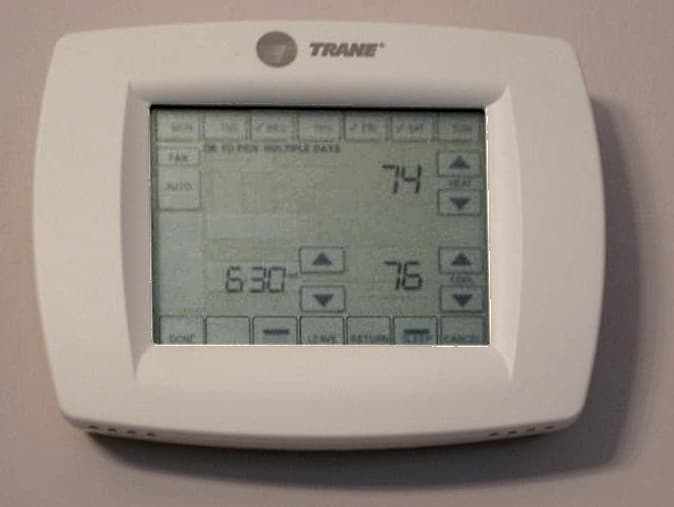
5. A setup answer is wrong
Setup asks what kind of system you have, such as conventional forced air, heat pump or boiler, and on a heat pump, whether the heat pump's reversing valve (the O/B wire) energizes in cooling or in heating.[3] Get that wrong and the heat pump heats when you ask for cooling and cools when you ask for heat. Honeywell explains why the setting exists: "For heat pump applications the reversing valve is energized in Heat on some heat pumps and Cool for other heat pumps."[1] If you are not sure which yours uses, check the heat pump's manual or ask the maker.
Heat or backup heat running during cooling has another cause too. For that, Honeywell says: "Verify there is not a wire attached to W for heat pump systems."[1]
6. A wire is in the wrong place
Turn the power off again and compare the new base with the photo you took of the old wiring. Remember that the label on the terminal, not the wire colour, is what tells you where a wire goes.[4] Then look for bare copper. Honeywell's checklist: "Verify that no wires are shorted. Look for exposed sections of wire at the UWP."[1]
The R wires cause their own trouble. If the old thermostat had a jumper between R and Rc, the new one may handle that with a switch instead: Honeywell's T5 has you set its R switch up for one R wire, and down for two (R or Rh, and Rc).[3]
7. The thermostat is not right for the system
Some systems need a different kind of thermostat altogether. Millivolt heat, usually a wall or floor heater, cannot supply the power a Nest needs.[4] High-voltage thermostats usually carry a 110, 115, 120 or 240 VAC rating on the label,[4] and those systems need a line-voltage thermostat, not a 24-volt one. A buzzing gas valve after the swap has a known cause: "Some gas valves on systems vibrate or buzz when a Nest thermostat is installed. This can usually be fixed by connecting a C wire."[4]
8. The heating works but the app does not
That is a Wi-Fi problem, not an HVAC one. On a Honeywell T5, for one, you can still change the temperature at the thermostat itself[3] while you fix it. Honeywell notes: "The thermostat operates in the 2.4GHz range."[3] If your router shows separate 2.4 and 5 GHz networks, join the 2.4 GHz one. ENERGY STAR suggests keeping a Wi-Fi thermostat fairly near the router so it does not keep dropping off, or adding a range extender.[5]
Stop and call a pro if
- The thermostat works on batteries but not on the system's power, after you have checked the breaker, switch and furnace door.
- The fix needs a C wire, an adapter at the furnace or a new wire run.
- The breaker trips again after you reset it. Do not keep resetting it; leave the system off and have an HVAC technician find the fault.
- The system stays dead after a bare wire may have touched another. Google notes that turning the power off before handling the wires avoids blowing a fuse in your equipment,[4] so a short during the swap may have blown one. Finding and replacing it is a job for a technician.
- You smell gas or burning, or hear a gas valve buzzing that a C wire does not cure. Leave the thermostat and call your gas company or an HVAC technician.
- The old thermostat was line voltage, marked 120 or 240 volts.
- Everything checks out and the system still will not start. The problem may be in the equipment, not the thermostat; see why an HVAC system runs all the time and why a furnace blows cold air.
For the install itself, see how to replace a thermostat. Loclis lists DPOR-licensed HVAC businesses with licence number and class: browse HVAC businesses in Blacksburg or all heating and cooling answers.
If it still will not work, describe the problem once and licensed local HVAC businesses quote the repair.
Common questions
- Why is my new thermostat screen blank?
- Start with power: the breaker, the system's power switch and the furnace door, which Honeywell notes has a kill switch. If the thermostat takes batteries, try them. Honeywell says that if batteries bring a common-wired thermostat to life and the system is fine, you may need to involve a technician.
- The thermostat says it is calling for cooling but nothing happens. Why?
- Give it 5 minutes. Many thermostats hold off the compressor for a few minutes after a change to protect it, and Honeywell models show WAITING FOR EQUIPMENT while they do. If nothing starts after that, check the mode, the set point and the wiring.
- Why does my heat pump blow cold air in heat mode after a thermostat swap?
- The usual reason is the reversing valve setting. Heat pumps energize the O/B wire in heating on some brands and in cooling on others, and the new thermostat has to be told which. Change that setting in the installer menu and test again.
- Why does my smart thermostat keep going offline or turning off?
- If it drops Wi-Fi, check it is on the router's 2.4 GHz network and in range. If it shuts down altogether, it may not be getting enough power over the existing wires; Google says some systems cannot deliver at least 20 volts, so a Nest's battery drains, and that a C wire may fix it. Ask an HVAC technician to add one.
- Can I damage my system by testing the thermostat over and over?
- Avoid cycling the cooling on and off quickly. Honeywell's install guide warns that compressor protection is bypassed during testing and that quick cycling can damage equipment, so leave a few minutes between tests.
Sources
- [1] FocusPRO N100 Series Installation Manual: Troubleshooting and Support, Resideo Technologies (Honeywell Home). Checked October 26, 2026.
- [2] How do I fix a blank display on my TH6320ZW thermostat?, Resideo Technologies (Honeywell Home). Checked October 26, 2026.
- [3] T5 Smart Thermostat RCHT8610WF Quick Install Guide (33-00498EF-03), Resideo Technologies (Honeywell Home). Checked October 26, 2026.
- [4] Nest thermostat compatibility, Google Nest Help. Checked October 26, 2026.
- [5] Smart Thermostats, ENERGY STAR, U.S. Environmental Protection Agency. Checked October 26, 2026.
Want a pro to handle it?
Describe the job once. Licensed local businesses send quotes, and you pay only when you book one.
Get a quote for HVAC Repair