How do I set a smart thermostat schedule to save energy?
Build the schedule around when the house is empty or asleep: set around 68°F to 70°F in winter while you are home and awake, and turn the temperature back 7°F to 10°F for eight hours a day. The Department of Energy put the savings at up to 10% a year. In summer, run warmer while you are out. Heat pumps are the exception.
Free to ask. Local shops send quotes, and you pay only when you book one.
By Kasra Taheri, Founder, LoclisPublished
Researched and drafted with AI, then checked claim by claim against the sources listed below before it was published. Prices and rules change; the dates beside each source say when it was last checked.
Step by step
Read when to stop and call a pro, further down this page, before you start.
Step 1: Check what your system is
Find out whether the thermostat runs a furnace, a central air conditioner or a heat pump, because a heat pump in heating mode needs different handling.[1]
Step 2: Switch on a schedule
Open the thermostat's app or menu and make sure a schedule is turned on, since ENERGY STAR certified smart thermostats must let you set one.[3]
Step 3: Map your week
List when people wake, leave, come home and go to bed, and treat any stretch of four hours or more with nobody home as a setback period.[1]
Step 4: Set the home temperature
In winter, set the periods when you are home and awake to around 68°F to 70°F.[1]
Step 5: Set the sleep and away periods
Program the sleeping and away periods 7°F to 10°F lower in winter, for about eight hours a day.[1]
Step 6: Program the summer schedule
In summer, set the temperature as high as is comfortable while you are home and let the house run warmer while you are away.[1]
Step 8: Add away detection
If your thermostat offers geofencing or occupancy sensing, turn it on so the thermostat can react when the schedule is wrong.[2]
Step 9: Use hold sparingly
Use a temporary hold for a day off or a guest, then let the schedule take over again.
Step 10: Review the run-time report
After a couple of weeks, check the energy or run-time feedback and adjust a period by a degree or two at a time.[3]
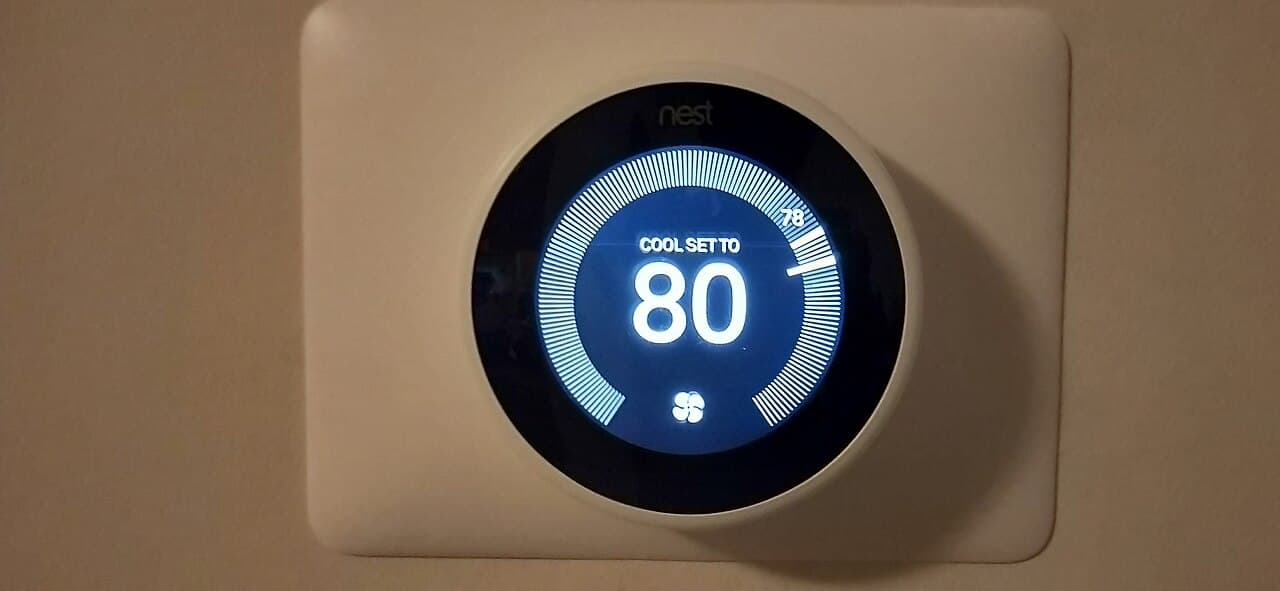
A schedule saves energy by letting the house drift away from its comfortable temperature when nobody needs it. The Department of Energy's figure: "You can save as much as 10% a year on heating and cooling by simply turning your thermostat back 7°-10°F for 8 hours a day from its normal setting."[1] The percentage of savings from setback is greater for buildings in milder climates than for those in more severe climates.[1]
A smart thermostat adds ways to get that setback without fiddling. Many smart thermostats learn your temperature preferences and establish a schedule that automatically adjusts to energy-saving temperatures when you are asleep or away.[2] But the schedule is still the foundation, so it is worth setting on purpose.
Start with your real week
Write down when people wake up, leave, come back and go to bed, weekdays and weekends separately. If there is a time during the day when the house is unoccupied for four hours or more, it makes sense to adjust the temperature during those periods.[1] Most households end up with four periods on a weekday and two on weekends.
If you prefer a cool bedroom, start the night setback a little before you actually go to bed rather than at the moment you turn out the light.
Pick the temperatures
Use these as starting points and adjust to your household:
- Winter, home and awake: the Department of Energy suggests setting the thermostat to around 68°F to 70°F while you're awake and setting it lower while you're asleep or away from home.[1]
- Winter, asleep or out: 7°F to 10°F below your home setting.
- Summer, home: as warm as you find comfortable. Dominion Energy's advice is to set your thermostat to 68 degrees or lower in the winter and 78 degrees or higher in the summer.[4]
- Long absences: Dominion suggests that when you are away for extended periods you set it even lower in the winter, 62-65 degrees, and higher in the summer, 80-83 degrees.[4]
Do not try to cool faster with a lower number. The Department of Energy: "Avoid setting your thermostat at a colder setting than normal when you turn on your air conditioner. It will not cool your home any faster"[1] and it may overcool the house.
Why recovery does not eat the savings
A common worry is that the furnace works so hard to warm the house back up that nothing is saved. The Department of Energy calls this a misconception: as soon as your house drops below its normal temperature, it will lose energy to the surrounding environment more slowly.[1] The longer the house stays cooler, the less energy it loses.
To keep it comfortable, the recovery should finish before you need it. The Department of Energy describes setting a thermostat to begin its cool-down well before you leave or go to bed and to return to its regular temperature two or three hours before you wake up or return home,[1] which may take a little trial and error. Many smart thermostats time this for you.
What the smart features add
Geofencing allows your smart thermostat to know when you're on the way home and automatically adjusts your home's temperature to your liking.[2] That covers the days your schedule is wrong, such as a late night out or a day working from home.
ENERGY STAR certified smart thermostats are required to work as a basic thermostat in absence of connectivity to the service provider and to provide the ability to set a schedule.[3] They must also give residents some form of feedback about the energy consequences of their settings and provide information about HVAC energy use, such as monthly run time.[3] Use that report to see whether your changes are working.
Heat pumps are different
If your system is a heat pump, a deep overnight setback can backfire. The Department of Energy explains that when a heat pump is in its heating mode, setting back its thermostat can cause the unit to operate inefficiently, thereby canceling out any savings achieved by lowering the temperature setting.[1] Maintaining a moderate setting is the most cost-effective practice.[1]
Some manufacturers sell specially designed programmable thermostats for heat pumps,[1] and many smart thermostats have a heat pump mode. In cooling mode a heat pump behaves like an air conditioner, so a warmer setting while you are out still saves.
Where the thermostat sits matters
A schedule cannot fix a thermostat that is reading the wrong temperature. A thermostat belongs on an interior wall away from direct sunlight, drafts, doorways, skylights, and windows.[1] If yours is in a sunny hallway, it will shut off heating early and run cooling too long. Moving a thermostat means wiring work, so treat that as a job for a pro.
Check for a utility program
Virginia utilities sometimes pay for enrolling a smart thermostat. When we checked on 27 October 2026, Dominion Energy Virginia's program said: "You'll receive a $25 rebate for signing up, plus an additional $25 rebate each year you participate in the program."[5] In return the utility makes small adjustments during high-demand events, and your home will always stay safe within a few degrees of your usual settings.[5] Check your own utility's terms.
Stop and call a pro if
- The thermostat is blank, resets or loses power. That points to wiring or a power problem at the equipment, which is work for a licensed HVAC technician.
- The system runs constantly or short-cycles no matter the schedule. The problem may be the equipment, not the settings.
- The house will not recover on a heat pump without the backup heat running for long stretches.
- You want the thermostat moved or a new wire run to it. Do not work on live wiring yourself.
- The thermostat is not on the wall you want because the old wiring or equipment is not compatible.
Getting help in Virginia
Once the schedule is set, how to program a thermostat to save money covers the same ground for basic programmable models, and why a new thermostat is not working helps when it will not behave. Loclis lists licensed HVAC businesses; browse smart home help or more smart home answers.
If the thermostat needs rewiring or replacing, describe the job once and licensed local pros quote it.
Common questions
- How much can a smart thermostat schedule save?
- The Department of Energy put it at as much as 10% a year on heating and cooling for turning the thermostat back 7°F to 10°F for eight hours a day. The share is larger in milder climates, and your own result depends on your house, your equipment and how closely the schedule matches your week.
- Do I still need a schedule if my thermostat learns on its own?
- A learned schedule is a starting point. ENERGY STAR says many smart thermostats learn your preferences and build a schedule that adjusts when you are asleep or away, and certified models must also let you set a schedule yourself. If your week is irregular, check what it learned and correct it.
- Should I set back a heat pump at night?
- Usually not with an ordinary schedule. The Department of Energy says that in heating mode a setback can make a heat pump run inefficiently and cancel the savings, and that a moderate setting is the most cost-effective practice. Some thermostats are specially designed for heat pumps; check that yours supports your equipment before using large setbacks.
- Does the furnace use more energy recovering from a setback than it saved?
- No. As soon as the house drops below its normal temperature it loses energy to the outdoors more slowly, so the longer it stays at the lower setting, the more energy you save. The Department of Energy calls the idea that recovery cancels the savings a common misconception.
- Will my smart thermostat still work if the Wi-Fi goes down?
- An ENERGY STAR certified one will. Certified smart thermostats are required to work as a basic thermostat without a connection to the service provider. Schedules stored in the thermostat itself generally keep running, but the model's manual is the place to confirm how yours behaves.
- Does Dominion Energy pay for using a smart thermostat?
- When we checked on 27 October 2026, Dominion Energy Virginia's Smart Thermostat Rewards offered a $25 rebate for signing up plus $25 each year you participate, in return for brief energy events that make small adjustments. Terms change and vary by utility, so check yours before enrolling.
Sources
- [1] Programmable Thermostats (Energy Saver, archived copy), U.S. Department of Energy. Checked October 27, 2026.
- [2] Smart Thermostats, ENERGY STAR, U.S. Environmental Protection Agency. Checked October 27, 2026.
- [3] Smart Thermostats Key Product Criteria, ENERGY STAR, U.S. Environmental Protection Agency. Checked October 27, 2026.
- [4] Seven tips for saving energy in your home, Dominion Energy. Checked October 27, 2026.
- [5] Smart Thermostat Rewards, Dominion Energy Virginia. Checked October 27, 2026.
Want a pro to handle it?
Describe the job once. Licensed local businesses send quotes, and you pay only when you book one.
Get a quote from a local pro