Why is my thermostat screen blank?
A blank thermostat screen usually means the thermostat has lost power: dead batteries, a tripped breaker, the furnace or air handler switched off, or its panel door not shut. Smart thermostats can also drain and shut off when the system cannot feed them enough power. If it stays dark with fresh batteries and the system powered, call a licensed HVAC technician.
Free to ask. Local shops send quotes, and you pay only when you book one.
By Kasra Taheri, Founder, LoclisPublished
Researched and drafted with AI, then checked claim by claim against the sources listed below before it was published. Prices and rules change; the dates beside each source say when it was last checked.
This is a job for a licensed pro in Virginia
This page explains what the work involves, the permits, what a licensed pro does and what drives the cost. It does not give step-by-step instructions, because this work needs a licence, a permit or both, and doing it wrong can injure someone. Before you hire, check the licence on Virginia's DPOR record.
A blank thermostat screen almost always means the thermostat has no power. On a battery model that is usually dead batteries. On a thermostat that runs on power from the furnace or air handler, it usually means the system itself is off: a tripped breaker, a switched-off furnace, or a panel door that is not shut. A few quick checks from outside the equipment find most of these. When they do not, the fault is in the wiring or the equipment, and that is work for a licensed HVAC technician.
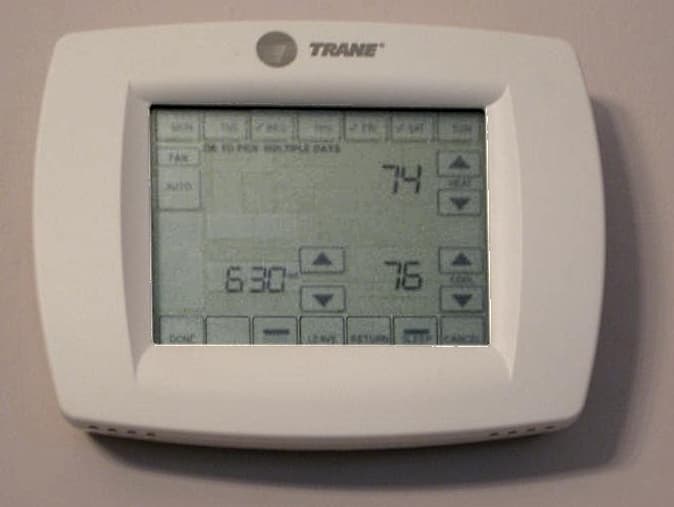
Make sure it is really off
A dark screen is not always a dead one. Some touch screens dim when nobody is using them; on Honeywell's T5, "The screen will wake up by touching the center area of displayed temperature."[4] Tap the screen or press a button before anything else.
Trane's first check is whether the thermostat is off or showing a blank display, and if it is, to try switching it on.[6] If it does not turn on, it could have dead batteries.[6]
Battery-powered thermostats
Batteries are the most common cause on models that use them. A dead battery can prevent the thermostat from communicating with your air conditioning system, making it appear as though the AC has stopped working.[7] Use the type the manual names. Honeywell's FocusPRO N100, for example, wants fresh AA alkaline batteries, correctly installed.[2] Many thermostats only need the faceplate pulled off the wall base to reach them; the manual shows how for your model.
Thermostats powered by the system
Not every thermostat has batteries to fall back on. Honeywell's T5 smart thermostat lists 24 VAC power from a "C" wire as a requirement,[4] so when the furnace or air handler loses power, the screen goes dark with it. The common (C) wire does not control heating or cooling; it helps deliver power from the system to the thermostat.[5]
Honeywell's advice for a common-wired model that will take batteries is to test with them: "If the device is common wired, try and power it up with batteries."[1] If that fails to power it up, you may need to involve a technician.[1] If batteries do bring it to life, check your breakers, the furnace power switch and the furnace door kill switch to make sure the system has power.[1]
Honeywell's blank-display checklist in its FocusPRO manuals covers the same ground:[3]
- "Check circuit breaker and reset if necessary."[2]
- "Make sure power switch for heating & cooling system is on."[2]
- "Make sure furnace door is closed securely."[2]
There may be a switch on or near the system that looks like a regular light switch,[5] and it is easy to flip by mistake. Honeywell also lists a furnace door kill switch,[1] which is why the door has to be closed securely. If all three check out and the thermostat still only works on batteries, Honeywell says you may need to involve a technician.[1]
When a breaker is the cause
Breakers trip when too many appliances run at once, and power surges after a storm can trip them too.[6] One trip after a storm is not alarming. A breaker that trips again is. If the circuit keeps tripping, it may be overloaded, and Trane says to call an electrician right away.[6] Bryant is blunter about the equipment side: Repeatedly resetting the breaker can damage the system and create a fire hazard.[7]
A blank screen with an AC that will not start
When an air conditioner will not turn on at all, Bryant lists a tripped circuit breaker, dead thermostat batteries and a triggered float switch as the causes.[7] Many systems include a safety float switch that shuts the air conditioner off when water in the drain pan gets too high, to prevent water damage.[7] Standing water around the indoor unit in summer is the clue. If the clog persists or the system does not restart, Bryant says to contact a qualified HVAC technician.[7] For more on this, see why an outside AC unit will not run.
A smart thermostat that keeps dying
A smart thermostat that works for hours or days and then goes blank is often running short of power. Some systems can't deliver enough power (at least 20 volts) over the existing system wires, so a Nest thermostat's battery may slowly drain and eventually cause the thermostat to turn off.[5] Installing a C wire may make such a system compatible, and Google points owners to a local professional for that.[5]
The system type matters too. Millivolt systems, typically wall or floor heaters, can't deliver the right amount of power to Nest thermostats,[5] so a thermostat that went blank soon after it was installed may simply be wrong for the system. If yours is new, why a new thermostat is not working covers the problems that follow a swap.
What is wrong if none of that fixes it
If the batteries are fresh, the breaker is on, the furnace switch is on and the door is shut, the power is stopping somewhere a homeowner should not go. The air handler can also stop because of a blown fuse or an open circuit breaker.[6] A screen that went dark right after someone worked on the thermostat wiring is a clue: turning the system off before wiring work avoids blowing a fuse in your equipment.[5] Otherwise the fault may be in the wire between the thermostat and the equipment, in the equipment's own controls, or in the thermostat itself. A technician traces where the power stops and tells you whether the fix is a repair or a new thermostat.
Do not open the furnace or air handler cabinet to look. Air conditioners contain lethal high-voltage electricity that can remain stored even after power has been disconnected,[7] and as Bryant puts it, "Safe homeowner troubleshooting ends before opening the equipment cabinet."[7]
When to call a licensed pro
Call a licensed HVAC technician when:
- The screen stays blank with fresh batteries, or the thermostat only works on batteries even though the system has power.
- A breaker trips a second time after you reset it.
- A smart thermostat keeps draining and shutting off, and needs a C wire or a power adapter.
- You notice a burning smell. A strong electrical or ozone-like smell from the vents or indoor unit may mean overheating wiring or components; shut off power to the system and call a qualified HVAC professional.[7]
Diagnosing and repairing heating and cooling equipment for pay is licensed work in Virginia. In Virginia, a tradesman is anyone who works for the public for pay in the electrical, plumbing or heating, ventilation and air conditioning trades,[9] and no individual may do or offer to do that work without a tradesman licence, unless working under the supervision of a tradesman licensed in that specialty.[8] Check any business on DPOR's License Lookup[10] before work starts.
If the heat is the problem rather than the screen, see why a thermostat is not turning on the heat. If the answer is a new thermostat, what a thermostat replacement costs in Virginia covers the price drivers.
Loclis lists DPOR-licensed HVAC businesses with their licence number and class. Find HVAC businesses in Blacksburg, browse thermostat repair, or read more HVAC repair answers.
If your thermostat screen is still blank, describe the problem once and licensed local HVAC businesses quote the repair.
Common questions
- Does a blank thermostat screen mean the thermostat is broken?
- Usually not. Most blank screens come down to power: dead batteries, a tripped breaker, the furnace or air handler switched off, or its door not shut. A thermostat that stays dark with fresh batteries, or that only works on batteries when the system has power, is the point to call a technician.
- Why did my thermostat go blank after a storm?
- Trane notes that power surges after a storm can trip a circuit breaker. If the breaker for the furnace or air handler tripped, a thermostat powered by the system goes dark with it. A breaker that trips again after being reset needs a professional, not another reset.
- Why does my smart thermostat keep going blank?
- A smart thermostat that works for a while and then dies is often short of power. Google says some systems cannot deliver at least 20 volts over the existing wires, so the thermostat's battery slowly drains until it turns off. Google says you may be able to install a C wire to fix this, and to contact a local professional.
- Will the heat or air conditioning run while the thermostat screen is blank?
- Not reliably. A thermostat with no power may not be able to tell the system what to do, so the heating or cooling may not run. If the house is getting too hot or too cold, it is worth getting the power problem found quickly.
- Can I open the furnace to look for a blown fuse?
- Leave the cabinet closed. Bryant warns that equipment can hold lethal high-voltage electricity even after the power is off, and says safe homeowner troubleshooting ends before the cabinet is opened. Checking fuses, the transformer and the control board is a job for a licensed HVAC technician.
Sources
- [1] How do I fix a blank display on my TH6320ZW thermostat?, Honeywell Home (Resideo). Checked October 27, 2026.
- [2] FocusPRO N100 Series Installation Manual: Troubleshooting and Support, Honeywell Home (Resideo). Checked October 27, 2026.
- [3] FocusPRO S200 Series Smart Thermostat User Manual: Troubleshooting and Support, Honeywell Home (Resideo). Checked October 27, 2026.
- [4] T5 Smart Thermostat RCHT8610WF Quick Install Guide (33-00498EF-03), Honeywell Home (Resideo). Checked October 27, 2026.
- [5] Nest thermostat compatibility, Google Nest Help. Checked October 27, 2026.
- [6] Air Conditioner Troubleshooting, Trane Residential. Checked October 27, 2026.
- [7] AC Repair: Common Problems, Troubleshooting and When to Call a Pro, Bryant Heating & Cooling Systems. Checked October 27, 2026.
- [8] Va. Code § 54.1-1129, Necessity for licensure, Code of Virginia, Virginia General Assembly. Checked October 27, 2026.
- [9] Va. Code § 54.1-1128, Definitions, Code of Virginia, Virginia General Assembly. Checked October 27, 2026.
- [10] License Lookup, Virginia Department of Professional and Occupational Regulation. Checked October 27, 2026.
Want a pro to handle it?
Describe the job once. Licensed local businesses send quotes, and you pay only when you book one.
Get a quote for HVAC Repair