Why is my thermostat not turning on the heat?
Most often it is a setting or a power problem: the thermostat is not in Heat mode, the setpoint is not above room temperature, the batteries are weak, it is in a five-minute protection delay, or the furnace breaker, power switch or door is off or open. If the display says the heat is on and nothing runs, the fault is in the heating equipment.
Free to ask. Local shops send quotes, and you pay only when you book one.
By Kasra Taheri, Founder, LoclisPublished
Researched and drafted with AI, then checked claim by claim against the sources listed below before it was published. Prices and rules change; the dates beside each source say when it was last checked.
Step by step
Read when to stop and call a pro, further down this page, before you start.
Step 1: Check the mode
Make sure the thermostat is set to Heat, not Off, Cool or Auto with the wrong range.[1]
Step 2: Raise the setpoint
Set the desired temperature higher than the current indoor reading, by a few degrees so the call is clear.[1]
Step 3: Look for a hold or schedule
Check whether a schedule period, vacation hold or away mode is holding a lower temperature, and cancel it.
Step 7: Check the equipment power switch
Make sure the switch on or near the furnace or air handler, which looks like a light switch, is on.[5]
Step 8: Close the furnace door
Make sure the furnace door is closed securely, especially if the filter was changed recently.[1]
Step 9: Check the air filter
Replace a clogged filter, which can restrict airflow enough to shut the system down.[5]
Step 10: Read what the display is asking for
If it shows Heat On or a flame and no heat comes, the thermostat is calling and the problem is in the heating equipment.[3]
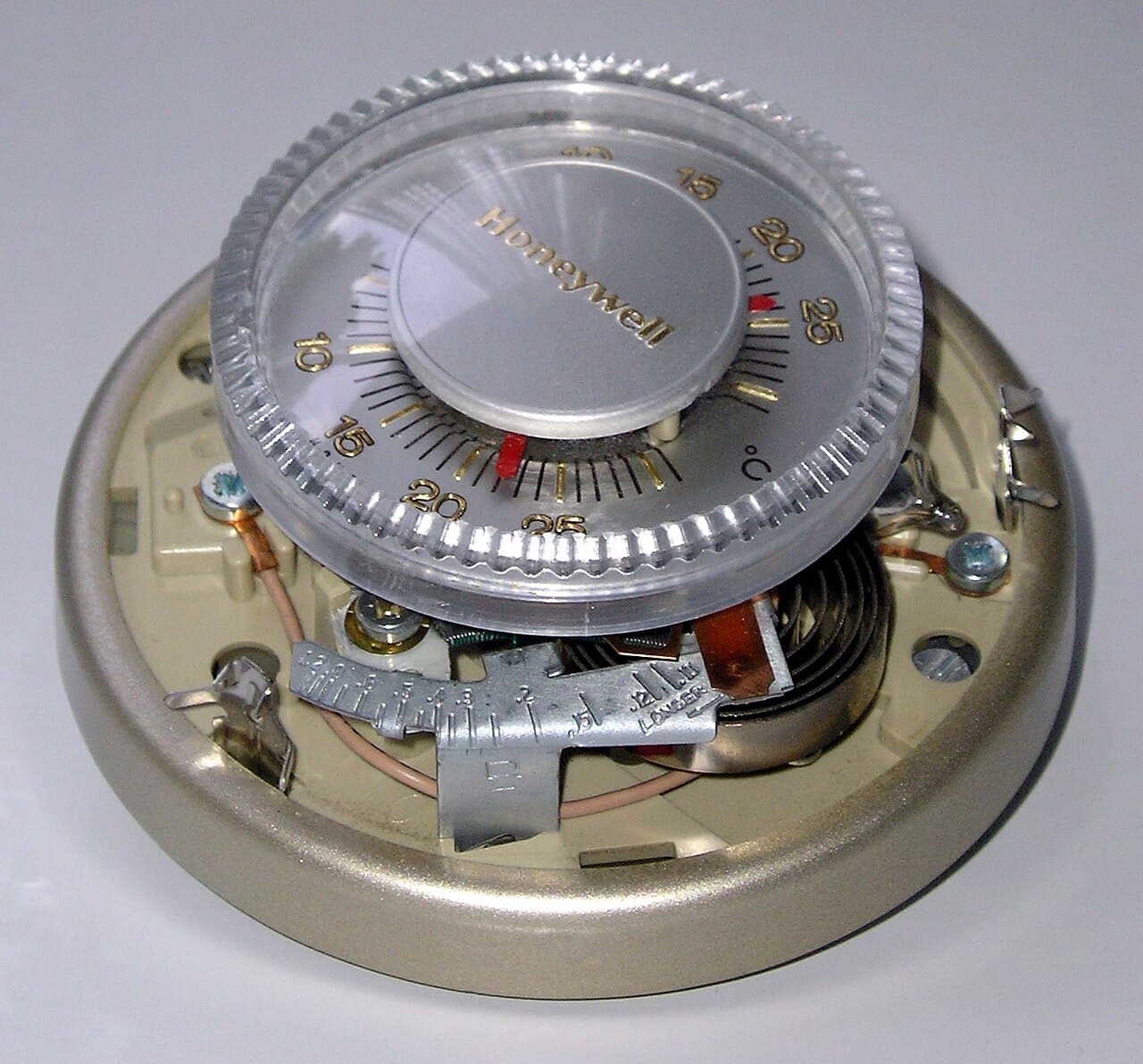
A thermostat that will not bring on the heat is usually not broken. In most cases it is set wrong, waiting out a delay, short of power, or calling for heat that the furnace or heat pump cannot deliver. The checks below go from the quickest to the ones at the equipment, and the display tells you which side of the problem you are on.
First, the settings
Thermostat makers start every troubleshooting list in the same place: set the system to Heat and make sure the desired temperature is higher than the current indoor temperature.[1] It sounds obvious, but a thermostat left in Cool or Off since summer, or set to Auto with a heating setpoint below the room, will sit there quietly.
Then look for anything overriding you. A schedule period, a vacation hold, an away mode or a utility energy event can all hold the temperature lower than you expect. Cancel the hold and try again.
Some thermostats limit how high you can go. Honeywell's FocusPRO S200 manual gives a default heat setting range of 40 °F to 90 °F, and notes that the installer may have configured a maximum heat setpoint to restrict energy-inefficient settings.[2]
Then, the thermostat's own power
Lennox points out that some thermostats run only on batteries, and batteries do not have to be completely dead for the thermostat to malfunction.[4] Fresh batteries are the cheapest fix there is, so put them in even if the screen is lit.
If "Heat On" is flashing, nothing is wrong yet. On Honeywell's T6 Pro that means the compressor protection feature is engaged, and the system needs five minutes to restart safely.[1] If the screen says "Wait", Honeywell's advice is also to give it five minutes.[3]
Next, power to the heating equipment
If the thermostat is set correctly and the system still does nothing, check that the equipment can run. Honeywell's list is to check the circuit breaker and reset it if necessary, make sure the power switch for the heating and cooling system is on, and make sure the furnace door is closed securely.[1]
- Breakers. With a heat pump, Carrier notes that the outdoor unit and the indoor unit have separate breakers, and if they keep tripping, call a professional.[5] Reset a tripped breaker once, not repeatedly.
- The service switch. Look for the power switch on your indoor air handler (which looks like a light switch), or the one on or beside the furnace.[5] It is easy to flip off by mistake when changing a filter.
- The furnace door. Make sure the furnace door is closed securely.[1] A panel left loose after a filter change is easy to miss.
A thermostat powered by the system often goes blank when the equipment loses power, so these checks also explain many blank screens.
Then, airflow
A clogged filter restricts airflow, potentially causing the system to shut down or blow lukewarm air.[5] Pull the filter and look at it. If you cannot see light through it, replace it. How often to change one is in how often to change a furnace filter.
Read the display: is it calling for heat?
This is the dividing line. When the display shows "Heat On" or a flame, Honeywell's support page says the thermostat is asking for the heat to be on and there is likely a problem outside of the thermostat.[3] At that point the thermostat has done its job, and the fault is in the furnace, heat pump or the wiring between them. Honeywell's next checks are ones for a technician with a meter: verify the configuration, make sure the wires are secure and in the correct terminals, and confirm the control voltage is between 18 and 30 VAC or 20 and 30 VAC, depending on the model.[3]
If it is not calling for heat even though the mode and setpoint are right, the thermostat, its setup or its wiring is the suspect. That is common right after a new thermostat goes in. More on that case is in should I hire an HVAC technician to replace my thermostat.
Heat pumps: heat that feels like no heat
A heat pump may be running and still feel cool at the vent. Carrier says heat pump supply air is typically around 85°F to 100°F, against roughly 120°F to 140°F from a gas furnace.[5] Warm but not hot air from a heat pump is normal, and Carrier describes cool air during defrost mode as a normal function.[5] See why a heat pump blows cool air in winter.
Emergency heat is a last resort. Emergency heat shuts down the heat pump and makes the backup system the main heat, and Trane says that if you engage it, you should call for HVAC service right away.[6]
Stop and call a pro if
- The thermostat shows Heat On or a flame and the system does not start after the breaker, switch, door and filter checks.
- A breaker trips again after one reset.
- The heat stopped right after a new thermostat was wired in and the wiring matches your photo of the old one.
- You smell gas. Columbia Gas of Virginia tells customers to go outside and call 911 and then call the company at 1-800-544-5606, any hour.[7] Other gas utilities publish their own emergency numbers.
- A carbon monoxide alarm sounds or anyone has symptoms. Columbia Gas of Virginia's advice for carbon monoxide symptoms or any other emergency is to go outside and call 911.[7] Once everyone is safe, EPA passes on the CPSC's advice to have CO alarms on each level of the home outside each sleeping area, and an annual professional inspection of fuel-burning appliances including furnaces.[8]
A furnace that runs but blows cold air is a different problem, covered in why a furnace is blowing cold air. Browse more heating and cooling answers or find licensed HVAC businesses near Blacksburg.
If the heat is still off, describe the problem once and get quotes from licensed HVAC businesses.
Common questions
- My thermostat says Heat On but the furnace will not start. Is the thermostat broken?
- Probably not. Honeywell Home's support page says that when the display shows Heat On or a flame, the thermostat is asking for heat and the problem is likely outside the thermostat. Check the breaker, the furnace power switch, the furnace door and the filter, then call an HVAC technician.
- Why does my thermostat say Wait or flash Heat On?
- Many thermostats have a built-in delay that protects the compressor from restarting too quickly. Honeywell's advice is to wait five minutes for the system to restart safely. If nothing happens after that, carry on with the other checks.
- The screen is blank. What does that mean?
- On a battery thermostat, start with fresh batteries. On a thermostat powered by the system, a blank screen often means the heating system has lost power, so check the breaker, the furnace power switch and that the furnace door is closed. If those are fine, the thermostat or its wiring needs a technician.
- Why won't my thermostat let me set the heat higher?
- Check for a keypad lock first. Honeywell's FocusPRO S200 manual gives a default heat range of 40°F to 90°F, and an installer may have set a lower maximum heat setpoint to block energy-wasting settings. The thermostat's installer menu or the contractor who set it up can change that.
- The heat stopped right after I installed a new thermostat. What happened?
- The most common causes are a wire on the wrong terminal, a missing C wire, or the thermostat set up for the wrong type of system, such as a furnace when you have a heat pump. Turn the system off at the breaker, compare the wiring with the photo of the old thermostat, and check the setup menu against the manual. If it still will not heat, call a technician.
- Should I switch a heat pump to emergency heat?
- Only if the heat pump has failed and the house is getting cold. Emergency heat turns off the heat pump and runs the backup heat alone, which costs more to run, and Trane advises calling for service right away when you use it.
Sources
- [1] T6 Pro II Installation Instructions: Troubleshooting and Support, Resideo (Honeywell Home). Checked October 26, 2026.
- [2] FocusPRO S200 Series Smart Thermostat User Manual: Troubleshooting and Support, Resideo (Honeywell Home). Checked October 26, 2026.
- [3] Why is My Heat Not Working, Resideo (Honeywell Home). Checked October 26, 2026.
- [4] Is Your Furnace Blowing Cold Air?, Lennox. Checked October 26, 2026.
- [5] Heat Pump Not Heating? Here's How to Troubleshoot, Carrier. Checked October 26, 2026.
- [6] What is Auxiliary Heat and How Does it Affect HVAC Performance?, Trane. Checked October 26, 2026.
- [7] ENERGY STAR Smart Thermostat Rebates, Columbia Gas of Virginia. Checked October 26, 2026.
- [8] Carbon Monoxide's Impact on Indoor Air Quality, U.S. Environmental Protection Agency. Checked October 26, 2026.
Want a pro to handle it?
Describe the job once. Licensed local businesses send quotes, and you pay only when you book one.
Get a quote for HVAC Repair